Passport Size Photo Maker Online - Free & Instant Download
Create Perfect Passport Photos for India - Aadhaar, Visa, Government Forms
भारत के लिए पासपोर्ट साइज फोटो बनाएं - मुफ्त और तुरंत
Create professional passport size photos online in seconds with PassportSizePhoto.in. Our free passport photo maker helps you generate government-compliant photos for Indian passport, Aadhaar card, visa applications, and all official documents. Simply upload your photo, and our tool automatically adjusts background, size, and quality to meet Indian government standards (2x2 inches / 51x51mm). Download high-resolution digital photos or print-ready formats instantly. No registration required, completely free, and works on mobile and desktop. Trusted by Indians across the country for creating passport size photos from home.
Upload Your Photo and Create Passport Size Photo Instantly
Our tool automatically adjusts size and ensures your photo meets all Indian government requirements.
अपनी फोटो अपलोड करें और तुरंत पासपोर्ट साइज फोटो बनाएं
Drag & Drop Your Photo Here
अपनी फोटो यहाँ खींचें और छोड़ें
or click to upload from your device
Supports: JPG, PNG (Max 10MB)
Sample Passport Photos - Do's and Don'ts
Learn what makes a perfect passport photo and common mistakes to avoid for guaranteed acceptance.
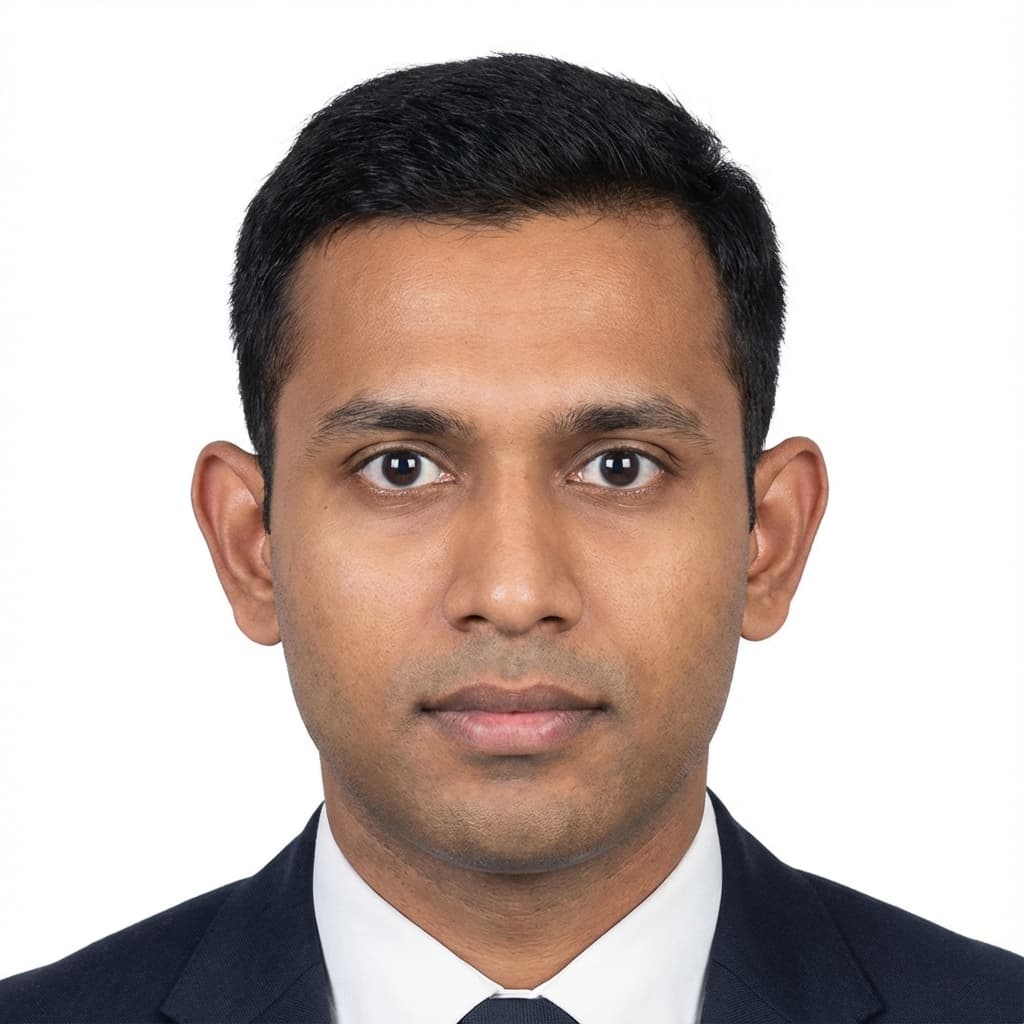
- Plain white background
- Face centered and properly sized (70-80%)
- Neutral expression with eyes open
- Even lighting without shadows
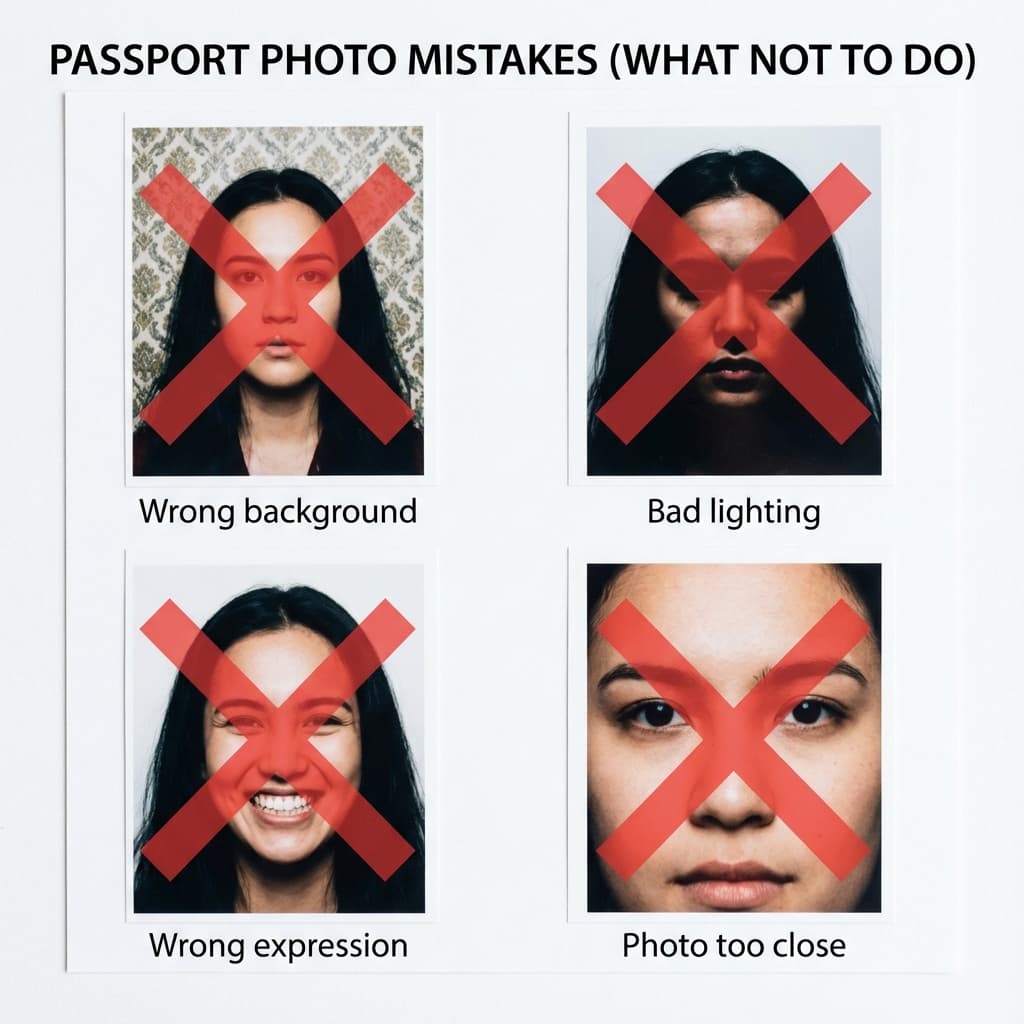
- Colored or patterned backgrounds
- Harsh shadows or poor lighting
- Smiling or exaggerated expressions
- Face too close or poorly cropped
See How Our Tool Transforms Your Photo
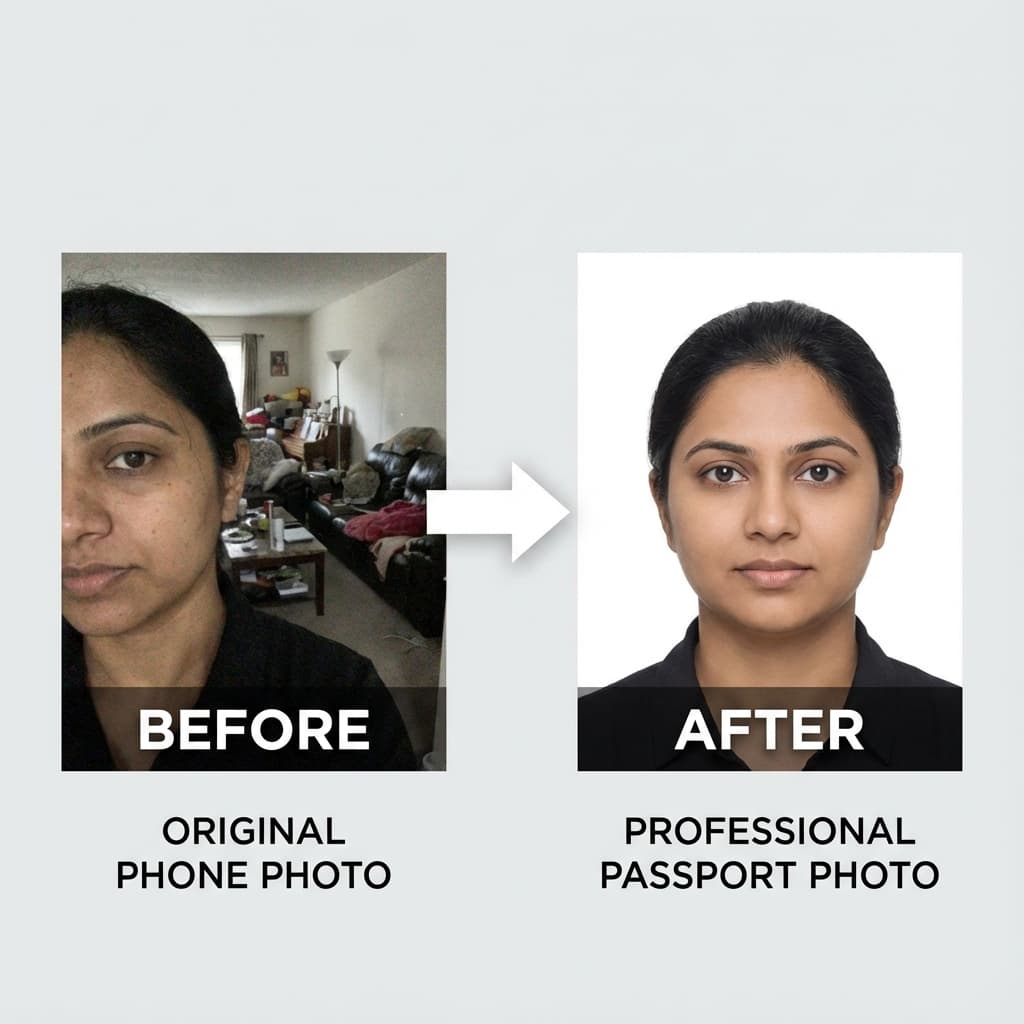
Upload any photo → Get a government-compliant passport photo instantly
Print-Ready Layouts
Download print sheets with 4, 6, or 8 photos optimized for standard 4R photo paper. Take to any local printer and save 80% compared to studio prices!
Create Print Sheet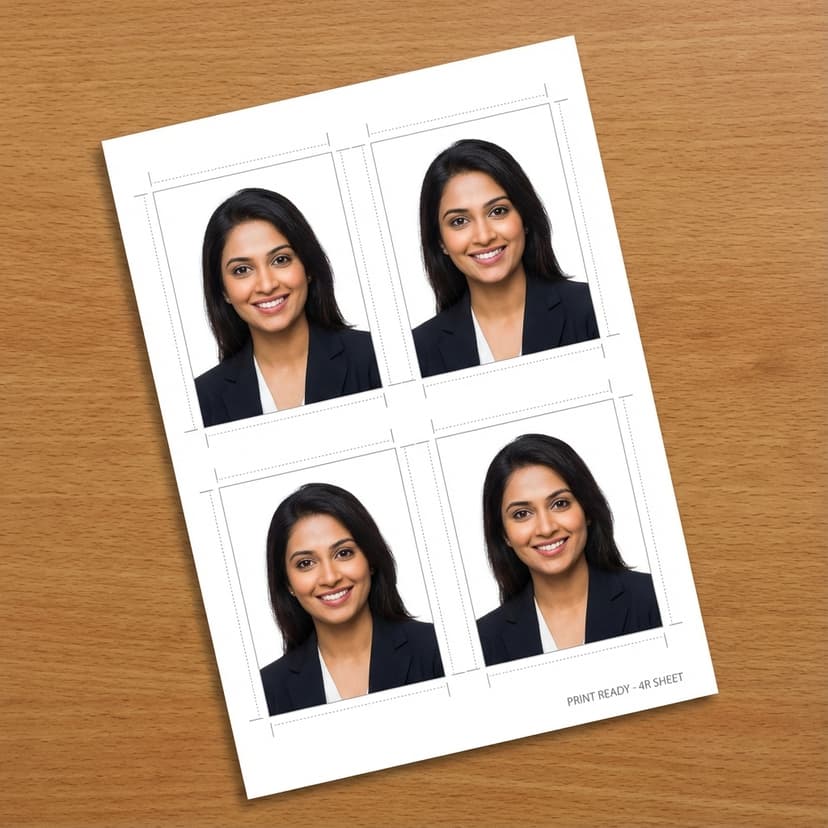
How to Create Passport Size Photo Online in 3 Simple Steps
Creating professional passport photos has never been easier. Follow these simple steps to get your perfect photo in seconds.
Upload Your Photo
Click the upload button or drag and drop your photo. You can use photos from your phone, camera, or existing pictures. Our tool accepts JPG and PNG formats up to 10MB.
Automatic Adjustment
Our tool instantly processes your photo and adjusts it to standard passport size (2x2 inches or 51x51mm) meeting Indian government specifications. Choose your preferred background color.
Download & Print
Download your passport size photo instantly in high resolution (600 DPI). Choose single photo format for online applications or print-ready sheets with 4-6 photos for physical submission.
Why Choose PassportSizePhoto.in - India's Best Passport Photo Maker
Trusted by over 500,000 Indians for creating professional passport photos at home. Here's what makes us the #1 choice.
100% Free Forever
Create unlimited passport size photos without any charges. No hidden fees, no watermarks, no registration required. Download high-quality photos instantly and save money on photo studio visits.
Easy Background Selection
Choose from preset background colors including white, off-white, and light blue. Get perfect backgrounds that meet government standards without manual editing.
Government Compliant Sizes
Pre-configured templates for all Indian government documents - passport (2x2 inches), Aadhaar card, visa photos, PAN card, and more. Automatically formatted to exact specifications.
Instant Digital Download
Get your passport photo in seconds, not hours. Perfect for last-minute applications and online form submissions. Download in multiple formats: JPEG, PNG, or PDF.
Print-Ready Layouts
Download print sheets with 4, 6, or 8 photos optimized for standard photo paper (4R size). Take to any local printer and save 80% compared to studio prices.
Mobile & Desktop Compatible
Works perfectly on all devices - smartphones, tablets, laptops, and desktops. Take a selfie and create passport photos on the go. Responsive design for seamless experience.
Privacy Protected
Your photos are processed securely in your browser and not uploaded to any server. We never store, share, or use your photos. 100% privacy guaranteed.
No Technical Skills Needed
Simple drag-and-drop interface designed for everyone. No photo editing experience required. Create professional passport photos in just 3 clicks.
Indian Passport Size Photo Requirements & Specifications
The standard passport size photo in India measures 2 inches x 2 inches (51mm x 51mm). This size is widely accepted for most government documents including Indian passport applications, visa forms, Aadhaar card, driving license, and various official forms.
Detailed Requirements
| Specification | Requirement | Details |
|---|---|---|
| Photo Size | 2 x 2 inches | 51mm x 51mm or 3.5cm x 4.5cm for some documents |
| Background Color | White or Off-White | Plain, no patterns or shadows |
| Face Position | Centered | Face should occupy 70-80% of photo |
| Head Position | Straight | Looking directly at camera |
| Expression | Neutral | Mouth closed, no smile |
| Eyes | Open and Visible | No squinting, clearly visible |
| Glasses | Allowed | Non-tinted, no glare on lenses |
| Head Covering | Religious Only | Face must be fully visible |
| Resolution | 600 DPI minimum | For print quality |
| File Size | 20 KB - 100 KB | For online applications |
| Recent Photo | Within 6 months | Should represent current appearance |
For Indian Passport
Passport photos must be 2x2 inches with a matte or semi-matte finish. The background should be plain white with no borders. Your face should be centered, and the photo must be recent (taken within the last 6 months). Both ears should be visible, and the photo should show your full head from top of hair to bottom of chin.
For Aadhaar Card
Aadhaar card photos require similar 2x2 inch dimensions but accept both colored and black-and-white photographs. The background must be white, and the applicant's face should be clearly visible without any shadows.
For Visa Applications
Visa photos for most countries require 2x2 inch (51x51mm) size when applying from India. However, US visa requires 2x2 inches (51x51mm), Schengen visa requires 35x45mm, and UK visa requires 45x35mm. Always check specific country requirements.
For Government Job Applications
Most Indian government job applications and competitive exams (SSC, UPSC, Banking) require standard 2x2 inch passport size photos with white background. Photos should be recent and clearly show facial features.
Common Mistakes to Avoid
Wrong Background
Avoid colored backgrounds, patterns, or visible shadows. Use only plain white or off-white.
Incorrect Face Positioning
Face too close, too far, or not centered reduces acceptance chances. Use our automatic cropping tool for perfect positioning.
Poor Lighting
Dark photos, harsh shadows, or overexposed images get rejected. Ensure even, natural lighting.
Filtered or Edited Photos
Do not use beauty filters, Snapchat filters, or heavy editing. Photos should show natural skin tone and features.
Old Photos
Photos older than 6 months may be rejected as they don't represent current appearance.
Digital Photo Specifications (For Online Applications)
File format: JPEG or JPG preferred
File size: Between 20 KB and 100 KB (some portals allow up to 300 KB)
Image dimensions: 350x350 pixels minimum, 1000x1000 pixels maximum
Resolution: 300-600 DPI for quality
Color space: sRGB
Frequently Asked Questions About Passport Size Photos
Get answers to the most common questions about creating and using passport size photos in India.
The standard passport size photo in India is 2 inches x 2 inches (51mm x 51mm). This size is accepted for Indian passport applications, visa forms, Aadhaar card, PAN card, driving license, and most government documents. Some specific applications may require 35mm x 45mm or 4.5cm x 3.5cm, so always check the specific requirement.
Still have questions?
Try It Now - It's Free!