How to Make Passport Size Photo Online
Create professional passport size photos in under 2 minutes. Follow our simple 3-step process to get government-compliant photos for Indian passport, visa, Aadhaar card, and all official documents.
The easiest way to get a usable passport photo is to start with a clear original image and then let the tool handle the crop, resize, and export. That keeps the result natural, clean, and easy to submit online or print later. If you are new to passport photos, this page walks you through the full process in plain language.
पासपोर्ट साइज फोटो बनाने का आसान तरीका - केवल 3 स्टेप में
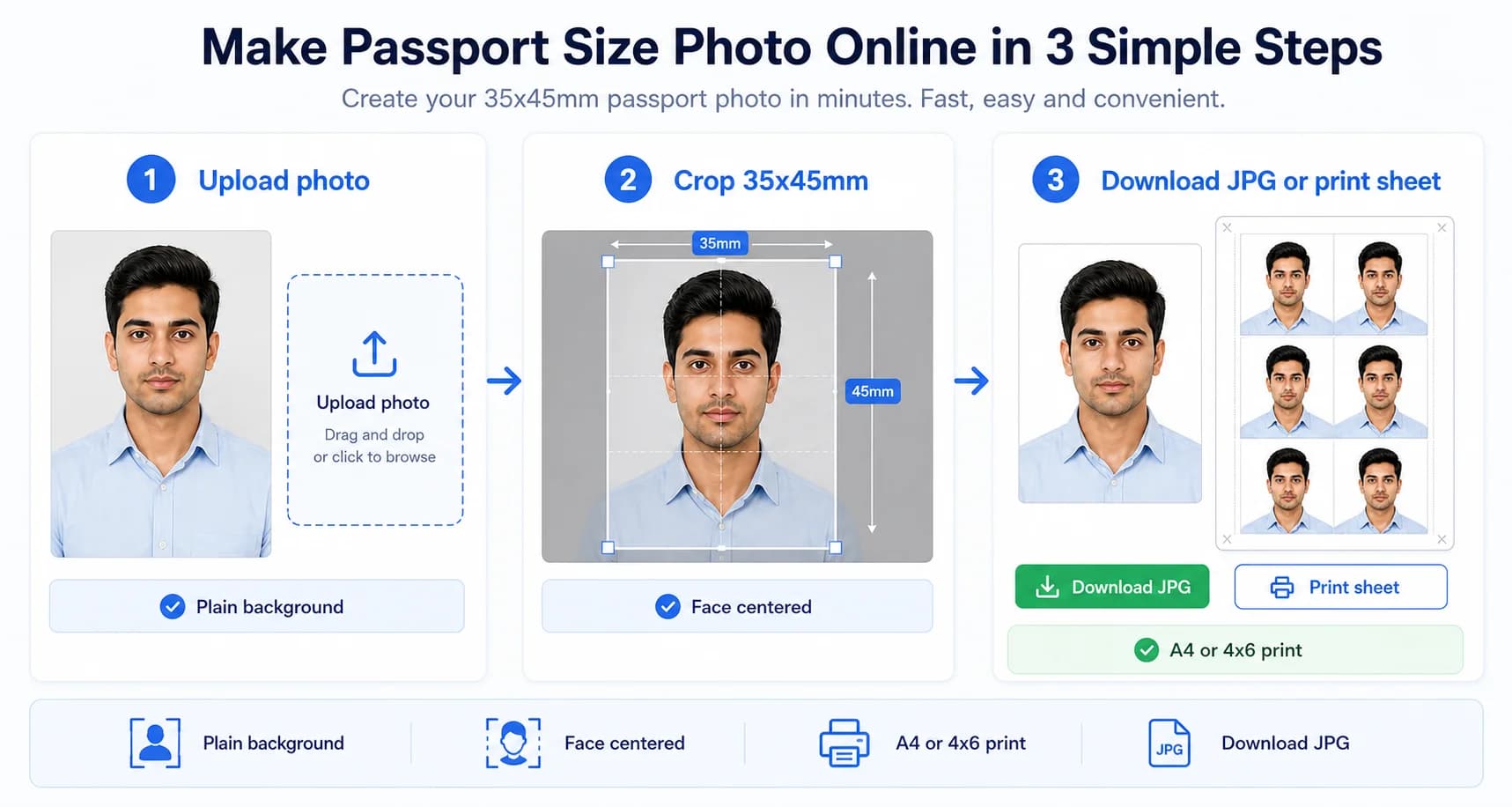
Complete visual guide: Create passport photos in 3 simple steps
3-step workflow
Upload, crop to 35x45mm, then download or print
The fastest workflow is to upload a clear front-facing photo, crop it to the required 35x45mm ratio, choose your output, and download a single JPG or print-ready sheet. Fix the original photo first if lighting, blur, or head position is poor.
- Use a bright source image without blur.
- Keep the face centered before exporting.
- Choose A4 or 4x6 only after the single photo looks correct.
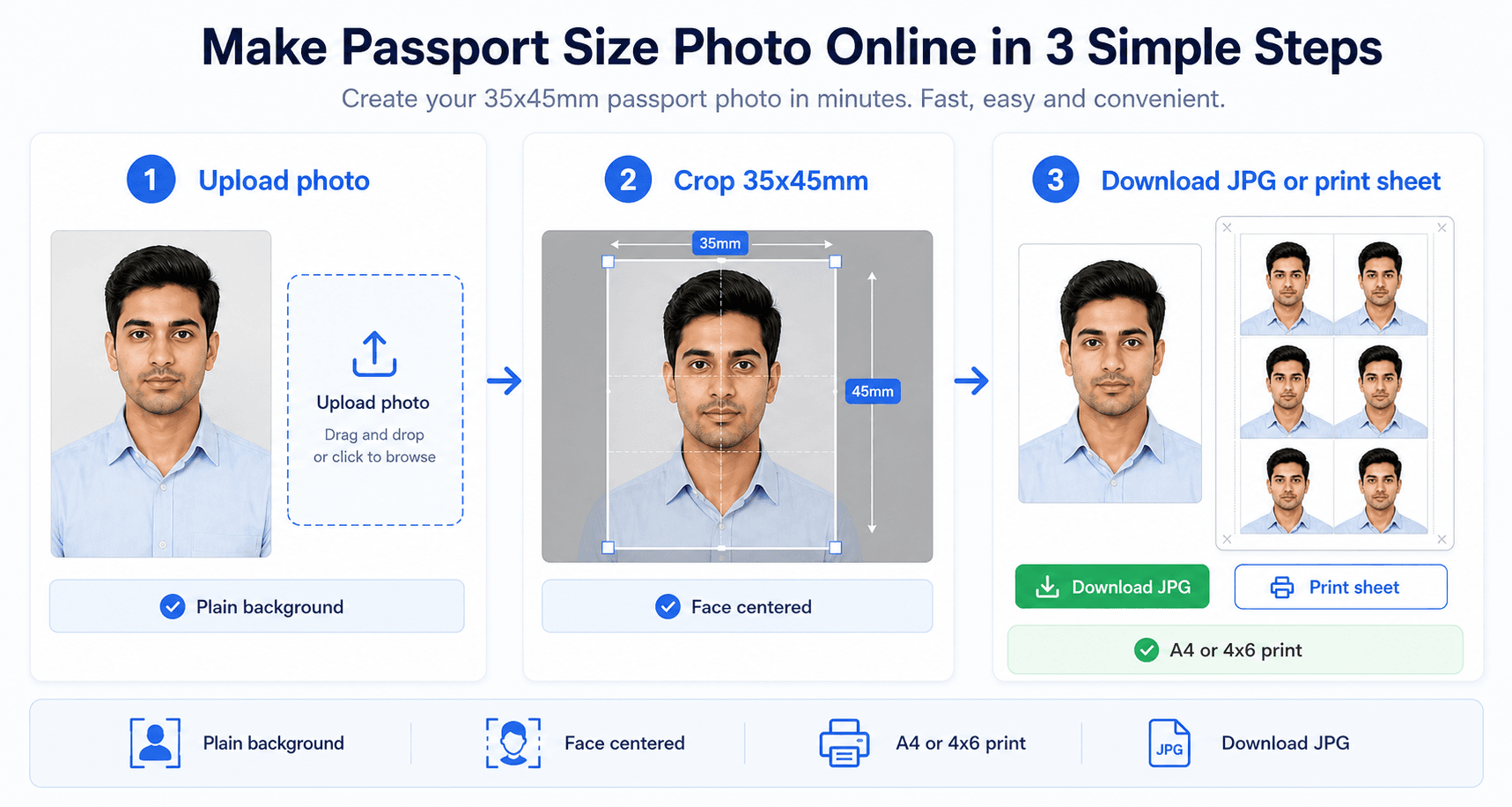
Related next steps
Upload Your Photo and Create Passport Size Photo Instantly
Upload a JPG or PNG, crop to 35×45mm, add a plain background, and download a digital photo or print sheet.
अपनी फोटो अपलोड करें और तुरंत पासपोर्ट साइज फोटो बनाएं
Drag & Drop Your Photo Here
अपनी फोटो यहाँ खींचें और छोड़ें
or click to upload from your device
Quick Start
Works on mobile and desktop
Our passport photo maker requires no downloads or installations. Simply visitPassportSizePhoto.inon any device with a web browser and you're ready to create passport photos instantly.
This works well on a laptop when you want a larger preview, but it is also practical on a phone if you only need a quick photo for an application form. The important part is to start with a recent image that shows your full face clearly and does not rely on heavy edits or filters.
Start Creating Now →Step 1: Upload Your Photo
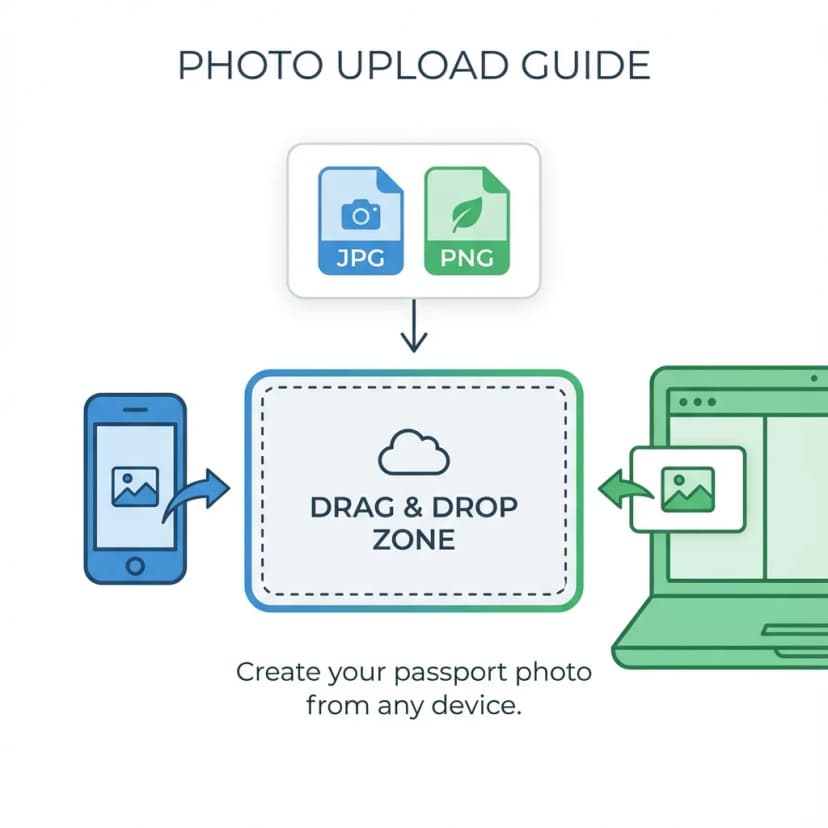
Select or drag your photo into the upload zone
How to Upload
- Click to browse - Select photo from your device
- Drag and drop - Drag photo directly onto the upload zone
- Mobile camera - Take a fresh photo using your phone camera
Supported Formats
Tips for Best Results
- • Use a recent photo (taken within last 6 months)
- • Ensure good lighting without shadows on face
- • Plain background works best (white wall preferred)
- • Look directly at camera with neutral expression
A simple setup usually gives the cleanest result: stand near a window, avoid harsh overhead light, and leave enough space around your head so the crop does not feel cramped.
Step 2: Choose Size and Settings
Select document type, background color, and print layout
The goal in this step is to match the document, not to pick a style. Different forms use different photo proportions, so choosing the right size and background upfront saves you from having to redo everything later. If your photo is for a passport, visa, or Aadhaar update, the exact settings matter.
Photo Size
Select your document type:
- Indian Passport (35x45mm)
- Schengen Visa (35x45mm)
- US Visa (2x2 inch)
- UK Visa (35x45mm)
- Stamp Size (25x30mm)
Background
Choose background color:
- White (Most Common)
- Off-White
- Light Blue
- Light Gray
Print Layout
Photos per sheet:
- 1 Photo (Digital use)
- 4 Photos (2x2 grid)
- 6 Photos (2x3 grid)
- 8 Photos (2x4 grid)
After selecting your preferences, click:
Create Passport Photo Now →If you are unsure which preset to choose, start with the exact document name first and only then adjust the background or print layout. That keeps the output aligned with the portal requirement.
Step 3: Download Your Photo
Get your passport size photo instantly
Once the file is ready, think about where it will be used. A digital submission needs a compact file that uploads smoothly, while a print job needs a layout with enough spacing for accurate cutting. Both outputs are generated from the same source image, so you can keep one workflow and use it twice.
Download Options
Download one passport size photo. Perfect for digital applications like online passport renewal, e-visa forms, and government portals.
Download a print-ready sheet with 4, 6, or 8 photos. Take to any local photo shop and print on 4R paper for just ₹5-10.
After Download
- 1For Digital Use: Upload directly to passport seva portal, visa applications, or online forms.
- 2For Print: Take the print sheet to any photo shop. Ask for 4R size photo paper, glossy or matte finish.
- 3Home Printing: Print on photo paper (180-200 GSM) at actual size (100% scale, no fit-to-page).
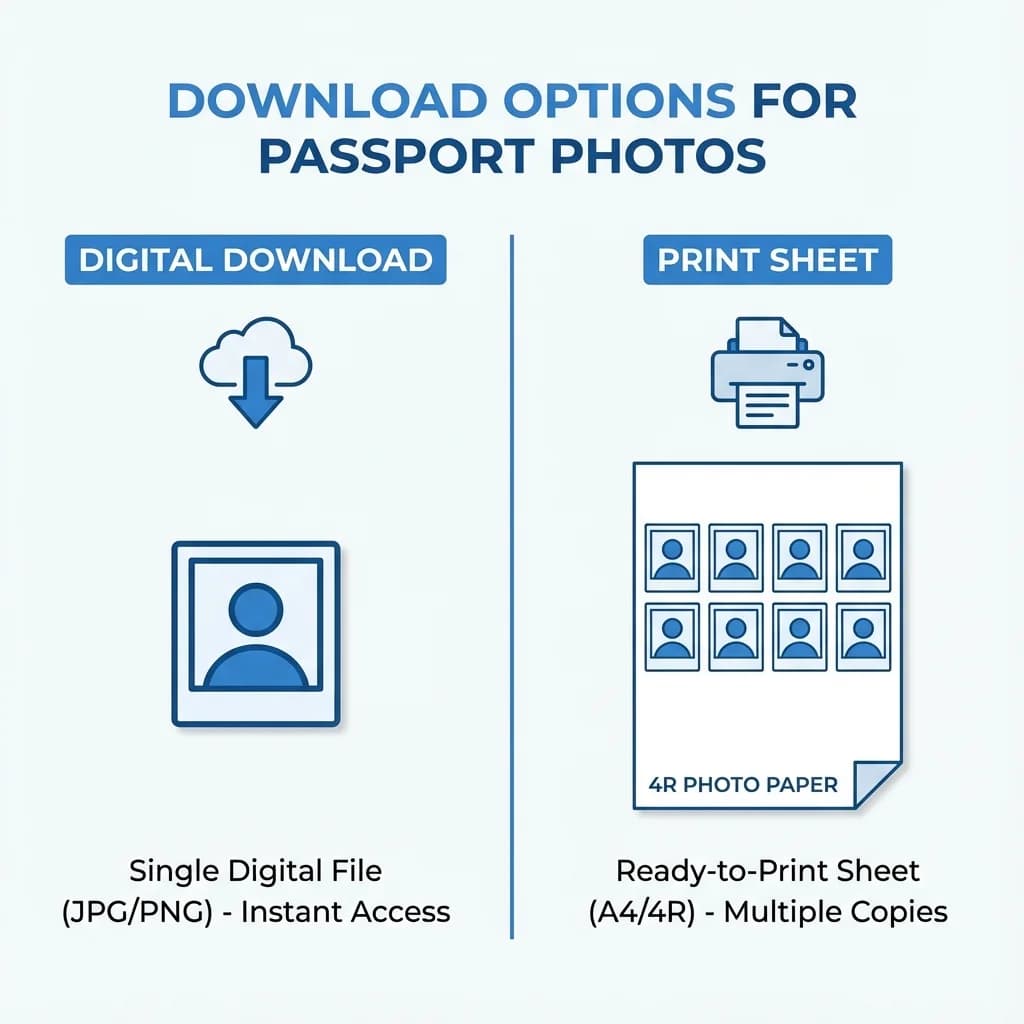
Choose between single photo download or print sheet with 4-8 photos
Troubleshooting Common Issues
Most problems are easy to fix once you know whether the issue is with the source image, the file size, or the final crop. Start with the simplest correction first, then move to a fresh upload if the result still looks off.
Photo Not Uploading?
- • Check file format (JPG, PNG only)
- • Ensure file size is under 10MB
- • Try refreshing the page
- • Clear browser cache and try again
If the file still fails, rename it with simple letters and numbers only. Some devices create odd file names that can confuse uploads on strict browsers or slower connections.
Photo Quality Issues?
- • Use a higher resolution original photo
- • Ensure good lighting when taking photo
- • Avoid blurry or out-of-focus images
- • Don't use heavily compressed images
A sharper original is almost always better than trying to rescue a soft, noisy image. If possible, retake the photo rather than over-editing it.
Download Not Working?
- • Check your browser's download settings
- • Disable popup blockers for this site
- • Try a different browser
- • Check available storage space
On mobile, the download may save to the device's default folder instead of showing a pop-up. Look in your recent files if the image does not appear immediately.
Wrong Size Output?
- • Verify you selected correct document type
- • Print at 100% scale, not "fit to page"
- • Measure printed photo with ruler
- • Use recommended 4R photo paper
If the photo looks too big or too small after printing, check the printer dialog again before reprinting. A single scale option can change the whole sheet.
Frequently Asked Questions
How long does it take to create a passport photo?
The entire process takes less than 2 minutes. Upload your photo, select your preferences, and download instantly.
What file formats are supported?
We support JPEG, JPG, and PNG image formats. Maximum file size is 10MB, which covers most smartphone and camera photos.
Do I need to register or create an account?
No registration required. Simply visit the website, upload your photo, and download your passport size photo immediately.
Is my photo stored on your servers?
No. All photo processing happens directly in your browser. We never upload, store, or access your photos. Your privacy is 100% protected.
Can I use my smartphone to create passport photos?
Yes! Our tool works perfectly on all devices including smartphones, tablets, and computers. The interface is optimized for mobile use.
What sizes are available?
We support Indian Passport (35x45mm), Schengen Visa (35x45mm), US Visa (2x2 inch), UK Visa (45x35mm), and Stamp Size (25x30mm).
How do I print my passport photos?
Download the print sheet option (4, 6, or 8 photos), then print on 4R photo paper at any local photo shop for just ₹5-10.
What if my photo gets rejected?
Our tool follows all government specifications. However, ensure your original photo has good lighting, a plain background, and a neutral expression for best results.
Can I change the background color?
Yes! Choose from white (most common), off-white, or light blue backgrounds. White is recommended for Indian passport and most documents.
Is this tool really free?
Yes, 100% free with no hidden charges. Create unlimited passport photos, no watermarks, no registration required.
Ready to Create Your Passport Photo?
It's free, instant, and takes less than 2 minutes. No registration required.
Create Free Passport Photo →