Aadhaar Card Photo Size & Requirements
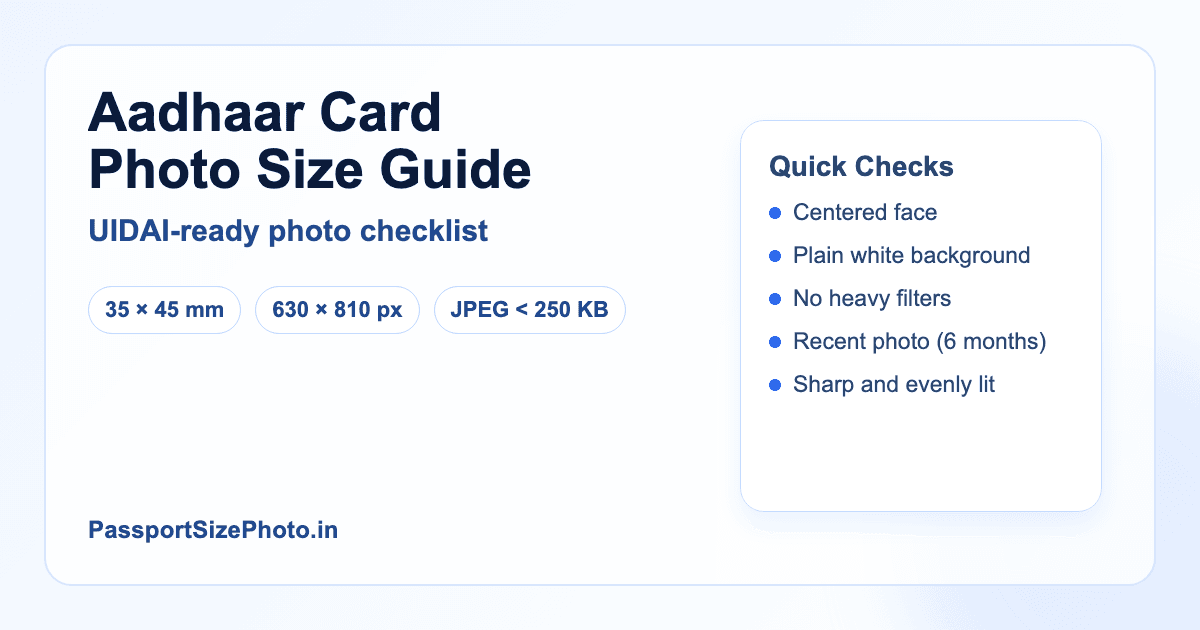
Complete guide to Aadhaar card photo specifications as per UIDAI guidelines. Standard size: 35×45mm
We review this page regularly when government specifications or portal rules change.
Continue Reading
How we keep this guide updated
We review this guide when Passport Seva, UIDAI, NSDL, embassy portals, or official document specifications change. We also revise examples and FAQs based on common user errors.
Aadhaar photo intent
Prepare a clean ID photo, but expect centre capture rules
Aadhaar enrolment and update flows often use live capture at the centre. If a form asks you to upload a photo, prepare a clear, front-facing, plain-background ID photo and avoid using any official-looking logo or template.
- Do not use official emblems or Aadhaar card mockups in the photo.
- Keep the face natural and recent.
- Confirm whether your specific Aadhaar process needs upload or live capture.
PassportSizePhoto.in is not affiliated with UIDAI. Always follow the latest Aadhaar portal or enrolment-centre instruction.
Related next steps
Aadhaar Photo Size
Aadhaar Photo Requirements
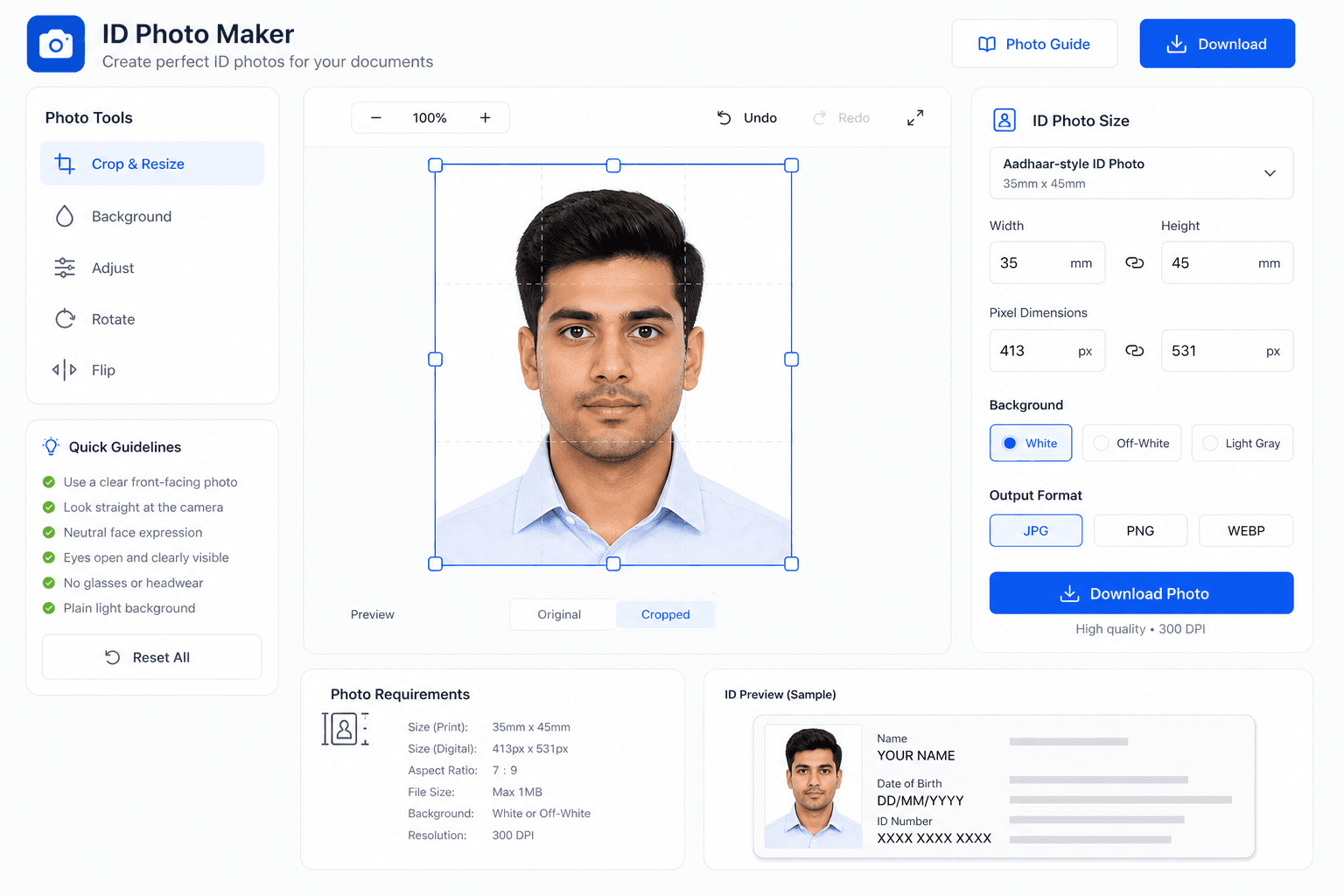
The Unique Identification Authority of India (UIDAI) has specific guidelines for Aadhaar enrollment photos. These specifications ensure uniform and clear identification across all Aadhaar cards. The goal is not just to have a picture that fits the frame, but one that still looks like you after printing, scanning, or storing it digitally for later verification.
| Specification | Requirement |
|---|---|
| Photo Size | 35×45mm |
| Background | Plain pure white (#FFFFFF) |
| Color Format | Color preferred, B&W accepted |
| Face Coverage | 80–85% of photo frame |
| Expression | Neutral, mouth closed |
| Eyes | Open, clearly visible |
| Photo Quality | Clear, high resolution |
| Recent Photo | Reflects current appearance |
In practice, the most successful Aadhaar photos are simple and evenly lit. Avoid harsh flash, avoid strong side shadows, and keep the frame loose enough that the full face and shoulders are visible without making the subject look too small.
Aadhaar vs Passport Photo
Good news: Aadhaar and Indian Passport photos share aligned core specifications. One photo works for both, which is useful if you want a single clean image for multiple documents and online forms.
| Feature | Aadhaar Card | Indian Passport |
|---|---|---|
| Size | 35×45mm | 35×45mm |
| Background | White | White |
| Color | Color/B&W | Color only |
| Face Coverage | 80–85% | 80–85% |
| Glasses | Avoid glare; eyes clearly visible | Not Allowed |
The main practical difference is how strictly each system checks the final output. That is why it helps to keep the photo neutral, natural, and easy to reuse if you later need PAN, Aadhaar, passport, or another government ID with similar framing.
Do's and Don'ts for Aadhaar Photo
Aadhaar photos are often rejected for simple reasons like uneven lighting, a busy background, or hair covering part of the face. A little care at the start saves a lot of repeat visits later.
DO'S
- Use plain white background
- Keep neutral expression
- Ensure even lighting
- Look directly at camera
- Keep eyes open and visible
- Use recent photo
DON'TS
- Don't use colored backgrounds
- Don't smile or make expressions
- Don't wear sunglasses
- Don't use old photos
- Don't apply beauty filters
- Don't cover face with hair
Digital Photo for Online Aadhaar Update
When updating Aadhaar photo online through UIDAI portal, your digital photo must meet these specifications: a JPEG file, proper dimensions, and a file size that stays small enough to upload smoothly without losing face detail.
If the file is too compressed, the picture may upload but look soft when reviewed. If it is too large, the portal may reject it before processing. Aim for a balanced file that keeps the face sharp.
Enrollment Center vs Online Update
At Enrollment Center
- • Photo captured at center using their camera
- • No need to bring printed photos
- • Operator ensures proper specifications
- • Multiple attempts possible if needed
- • Fee: ₹50 for demographic + biometric update
This route is usually the easiest if your current photo is old or the digital copy is not clear enough for online submission.
Online Update
- • Upload your own digital photo
- • Photo must meet strict file requirements
- • Convenient from home
- • May need OTP verification
- • Fee: ₹50 online + convenience charges
Online update works best when you already have a clean digital photo ready and you want to avoid a return trip to the center.
Best Way To Prepare An Aadhaar Photo At Home
The simplest way to prepare a strong Aadhaar photo is to focus on the basics first: a plain bright background, soft even light, and a straight camera angle. If those three pieces are right, the rest of the process becomes much easier.
Set Up The Photo
- Stand in front of a plain wall or clean sheet
- Use daylight from a window if possible
- Keep the camera at eye level
- Leave a little space above the head for cropping
Review Before Saving
- Check that both eyes are visible
- Look for shadows on the face or neck
- Make sure hair is not covering the eyes
- Confirm the face still looks natural after export
If you are making the photo for a child or an older family member, take a few extra shots and pick the clearest one. Small improvements in expression, lighting, and framing often make the difference between a usable photo and one that needs to be retaken.
Common Aadhaar Photo Mistakes To Avoid
Why Rejections Happen
Rejections usually come from a photo that looks too dark, too busy, or too far away. A face that is partly hidden, a background with visible texture, or a file that was compressed too much can all make the image harder to accept.
How To Fix Them
Retake the image with softer light, use a cleaner background, and keep the camera steady. If you are updating online, export a file that is sharp enough for the portal but not so large that it becomes hard to upload.
What To Keep The Same
Keep the expression neutral, the head straight, and the photo recent. A consistent look matters more than trying to make the photo look stylish or heavily edited.
What To Change
If the first version fails, change one thing at a time: lighting, then background, then crop. That makes it easier to see which adjustment actually improved the photo.
Frequently Asked Questions
What is the Aadhaar card photo size?
The standard Aadhaar card photo size is 35×45mm. It matches the current passport-style format, so one well-shot photo can often serve more than one document.
Can I use passport photo for Aadhaar card?
Yes, a passport photo can usually be reused for Aadhaar if it is recent, sharp, and shot on a plain background. That makes it a practical option for many applicants.
What background is required for Aadhaar photo?
Use a plain white or off-white background. A simple backdrop keeps the image clean, avoids distractions, and makes the face easier to read during verification.
Is color photo mandatory for Aadhaar?
Color is preferred because it looks more natural and shows facial detail better, but Aadhaar can still accept black and white in some cases. Color is the safer everyday choice.
How recent should Aadhaar photo be?
Choose a recent photo that still looks like you today. If your appearance has changed or the picture feels outdated, it is better to retake it than risk a mismatch.
What if my photo is rejected during Aadhaar enrollment?
Rejections usually come from a weak background, poor light, or a face that is not clear enough. Retake the image with softer light and a cleaner frame before trying again.
Can I wear glasses in Aadhaar photo?
Yes, prescription glasses are usually allowed if there is no glare and the eyes remain visible. Tinted lenses, heavy reflections, and sunglasses should be avoided.
What about head coverings in Aadhaar photo?
Religious head coverings are allowed, but the face must remain visible from chin to forehead. Keep the frame open so the eyes and full face are easy to see.
Can children use same photo size for Aadhaar?
Yes, children of all ages use the same 35×45mm size. For infants and toddlers, focus on a clear face and open eyes as much as possible.
What is the digital file size for online Aadhaar update?
For online updates, use JPEG format, keep the file around the suggested 20-100KB range, and use Aadhaar-specific minimum dimensions of 350×350 pixels.
Is the same photo used on Aadhaar card and e-Aadhaar?
Yes, the same photo appears on the physical Aadhaar card and the digital e-Aadhaar copy, so the image should be strong enough to look good in both places.
How can I update my Aadhaar photo?
You can visit an Aadhaar enrollment center with your documents and request a photo update. If the online route is available for your case, use a clean digital photo and follow the portal steps carefully.
Create Your Aadhaar Photo Now
Our free tool creates photos that meet all UIDAI specifications, with a clean white background and the right crop for both card and update use.
Create Free Aadhaar Photo →