JPG / JPEG digital photo
Export a 630x810px passport photo for online Passport Seva-style uploads and forms that ask for a JPEG file.
Free online passport photo editor
Already have a photo? Upload it to our free passport photo editor and fix it for any form: crop to the exact 35x45mm (3.5x4.5cm / 630x810px) ratio, change a busy background to clean white, correct head size and margins, then download a compliant JPEG or a print-ready A4 sheet.
JPG or PNG up to 10MB
Drag and drop your photo here
JPG or PNG up to 10MB
No signup. Your photo opens directly in the editor.
Professional online studio app — live size switching (35x45mm, PAN, 2x2" US Visa), white background swapper & print sheet generator.
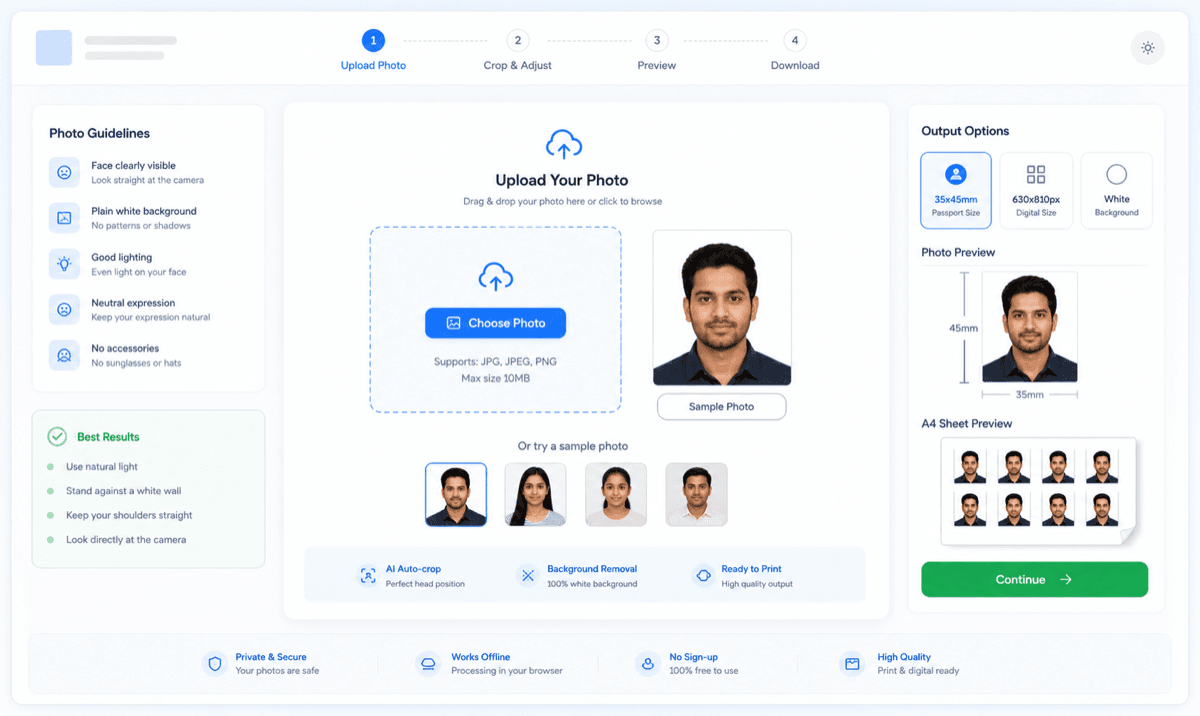
Most passport photo rejections happen because of small fixable issues: the crop is slightly off, the background is shadowed or colored, or the head size is wrong. This editor is built to fix exactly those problems — upload your photo, apply the corrections, and download a file that matches official size specifications.
Export a 630x810px passport photo for online Passport Seva-style uploads and forms that ask for a JPEG file.
Download a high-quality PNG when you want a clean copy before compression or further document use.
Use the editor for digital passport photos and print sheets. Choose the output that matches your form or local print shop requirement.
Export a 630x810px passport photo for online Passport Seva-style uploads and forms that ask for a JPEG file.
Download a high-quality PNG when you want a clean copy before compression or further document use.
Generate multiple 35x45mm photos on a printable sheet with cutting guides for home or shop printing.
If a print shop needs PDF, use your system print dialog with the generated sheet and save or print at 100% scale.
After editing, your photo must land on the official numbers: 35mm width and 45mm height for print, 630x810px for digital upload on this site. The editor locks the crop to this portrait ratio so print and upload stay consistent.


The editor can replace a busy or shadowed background with clean white. But it cannot fix everything: filters, heavy retouching, tilted heads, or cropped shoulders are rejection reasons no editor should hide. Fix the setup, not the face.
Once your photo is fixed, arrange multiple copies on A4 or 4R paper with cutting guides. For accurate print size, print at 100% scale and disable fit-to-page.

Any recent JPG or PNG works — a studio shot or a home photo with even lighting. A plain wall behind you makes background cleanup easier.
Align the face to the 35x45mm guide, correct the head-to-frame ratio, and change the background to clean white where needed.
Export a single compliant file for online forms, or arrange copies on an A4/4R sheet for printing.
Follow these visual rules to ensure 100% acceptance on official government and visa portals.
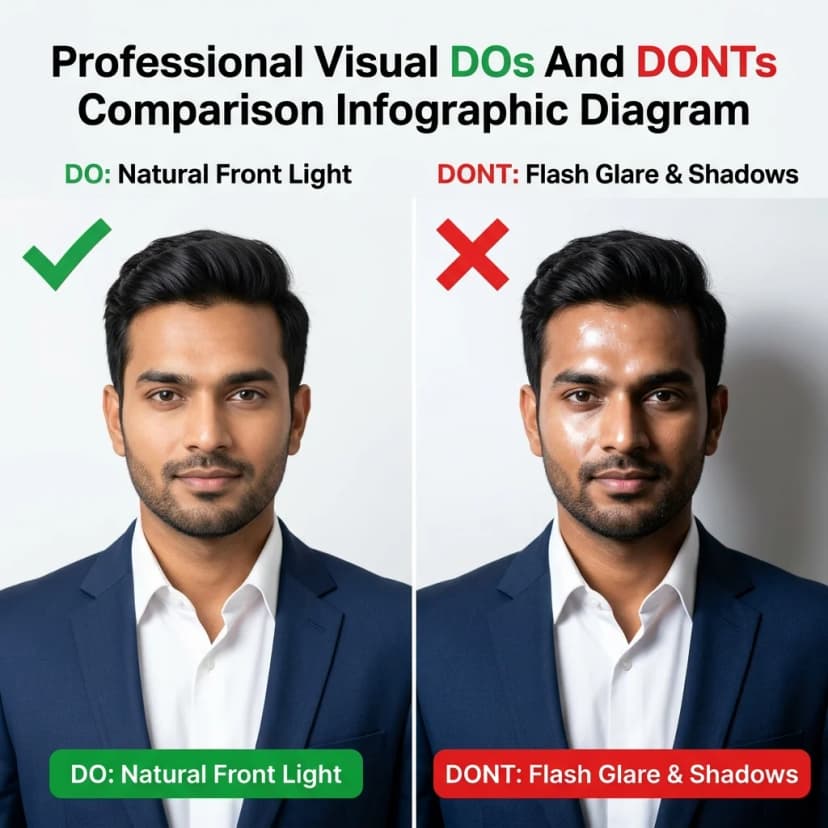
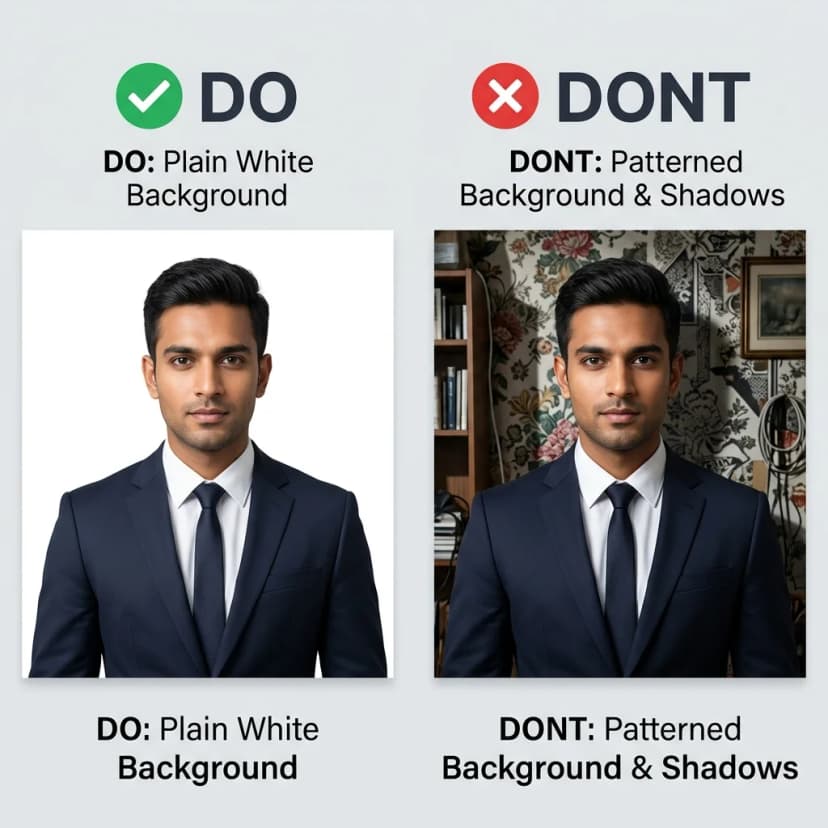
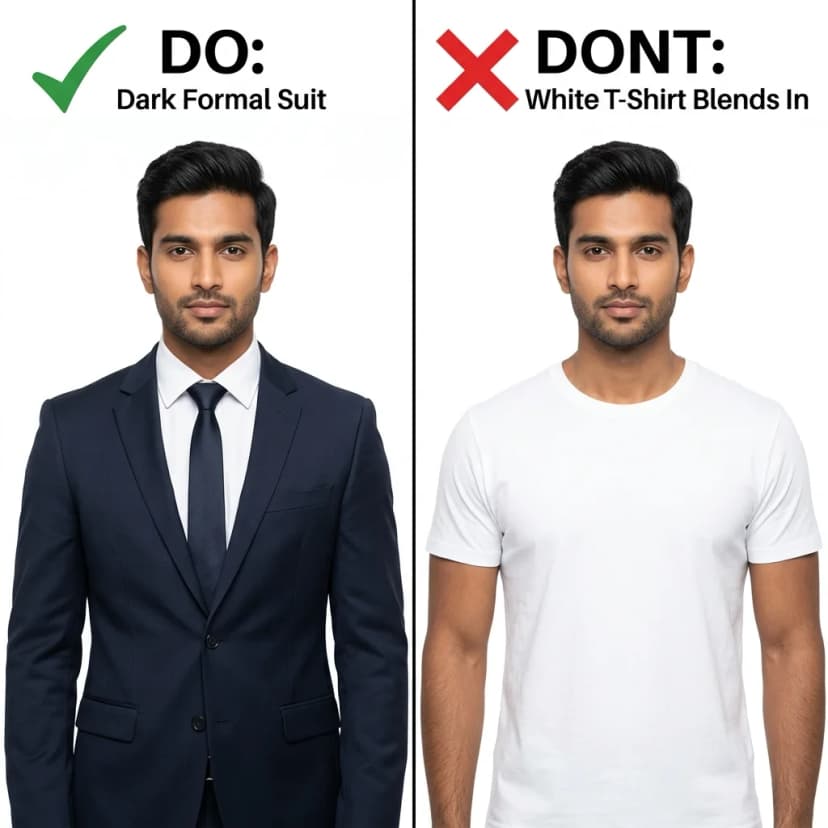
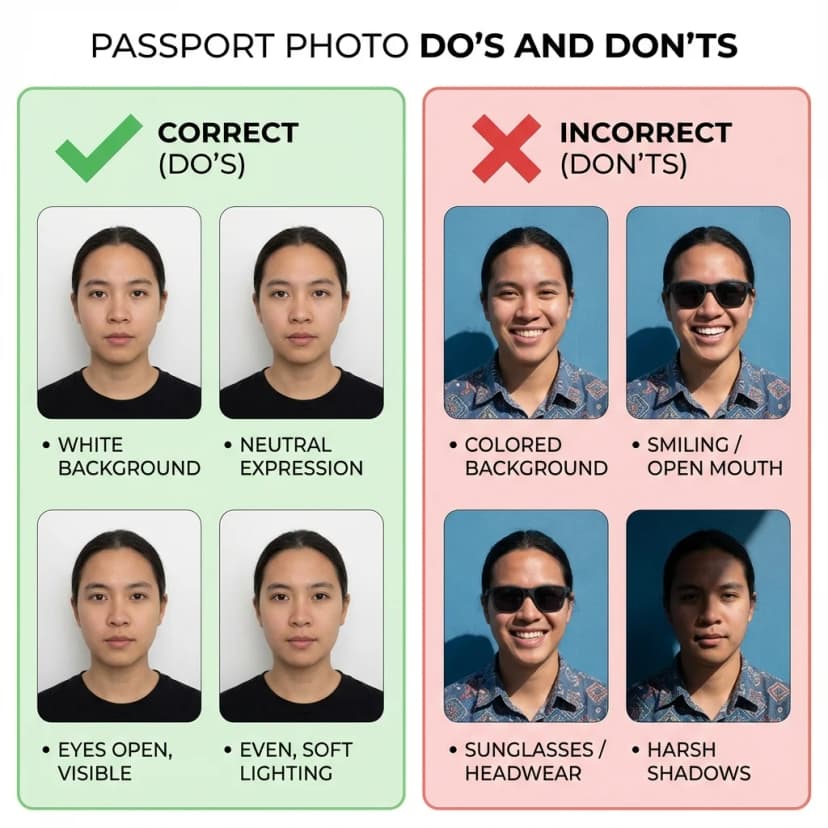
Prevent photo resizing errors in your local or home printer settings
Our photo specifications strictly align with official government guidelines. Cross-verify with primary sources:
Yes. Upload any recent photo and this editor fixes the three things forms actually check: the 35x45mm crop, the head size and margins, and a clean white background. It is free, needs no signup, and runs entirely in your browser.
Fixing technical issues is allowed and expected: cropping to 35x45mm, correcting brightness, and replacing a colored background with white. What is not allowed is altering your appearance — skin smoothing filters, changing facial features, or editing over glasses and hairline. Official portals and PSP 2.0 systems can detect facial retouching.
Upload your photo, open the background tool, and the editor replaces the existing background with a plain white one while keeping your face and shoulders intact. This works best when your original photo has even lighting and no harsh shadows behind you.
Most rejections are technical — wrong pixel size (not exactly 630x810), file size over the limit, off-white background, or wrong head margins. Upload the rejected photo here, fix the specific issue, and re-download. If the rejection was for blurriness or lighting, retake the photo instead.
JPEG/JPG and PNG, plus WEBP if you want a smaller modern format. For online uploads, use JPEG at 630x810px. For printing, generate an A4 or 4R sheet with multiple copies and cutting guides.
No. PassportSizePhoto.in is an independent private utility. Always verify the latest official requirements before submitting your final photo.