Passport Photo Guides

Practical, human-written guides for passport photos, visa photos, print preparation, and common rejection fixes.

A simple place to start

This blog is built for people who want clear answers without wading through vague advice. If you are taking a passport photo at home, trying to upload a file to a government portal, or checking whether a detail like glasses, lighting, or expression will cause a rejection, these guides are meant to help you make the decision quickly.

Each article focuses on one real-world problem and explains it in plain language. We keep the guidance practical, the examples specific, and the structure easy to scan so you can find what matters before you take the photo or submit the form.

That means you will usually see the actual decision first, followed by the why behind it. If a background needs to be white, you will know how to set it up. If a file needs to be smaller, you will know what to change without guessing or bouncing between unrelated articles.

The goal is not just to show you what the rules say. The goal is to help you create a photo that looks clean, natural, and acceptable the first time so you save time, avoid repeat uploads, and feel confident about the result.

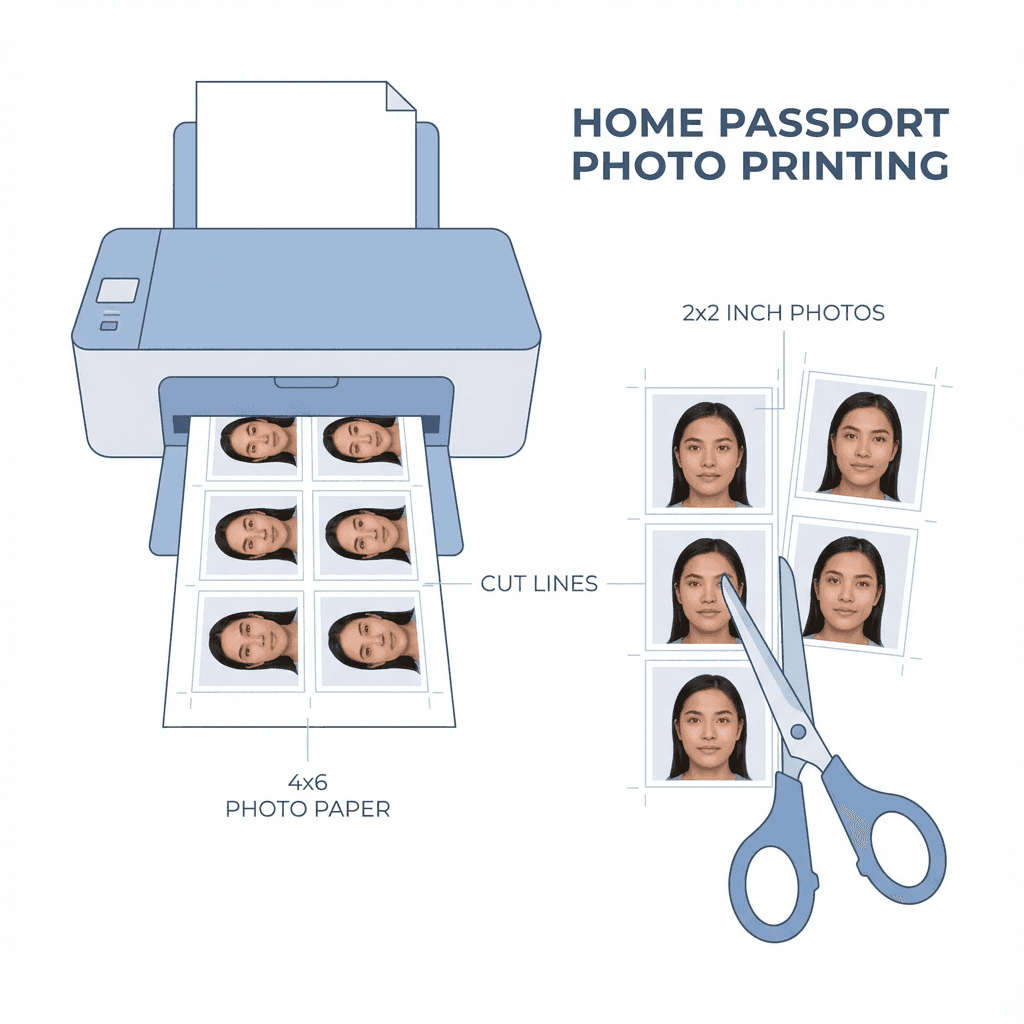
Print Passport Photos at Home
Tutorial

Print Passport Photos at Home

Complete guide to printing passport photos at home with the right paper and settings.
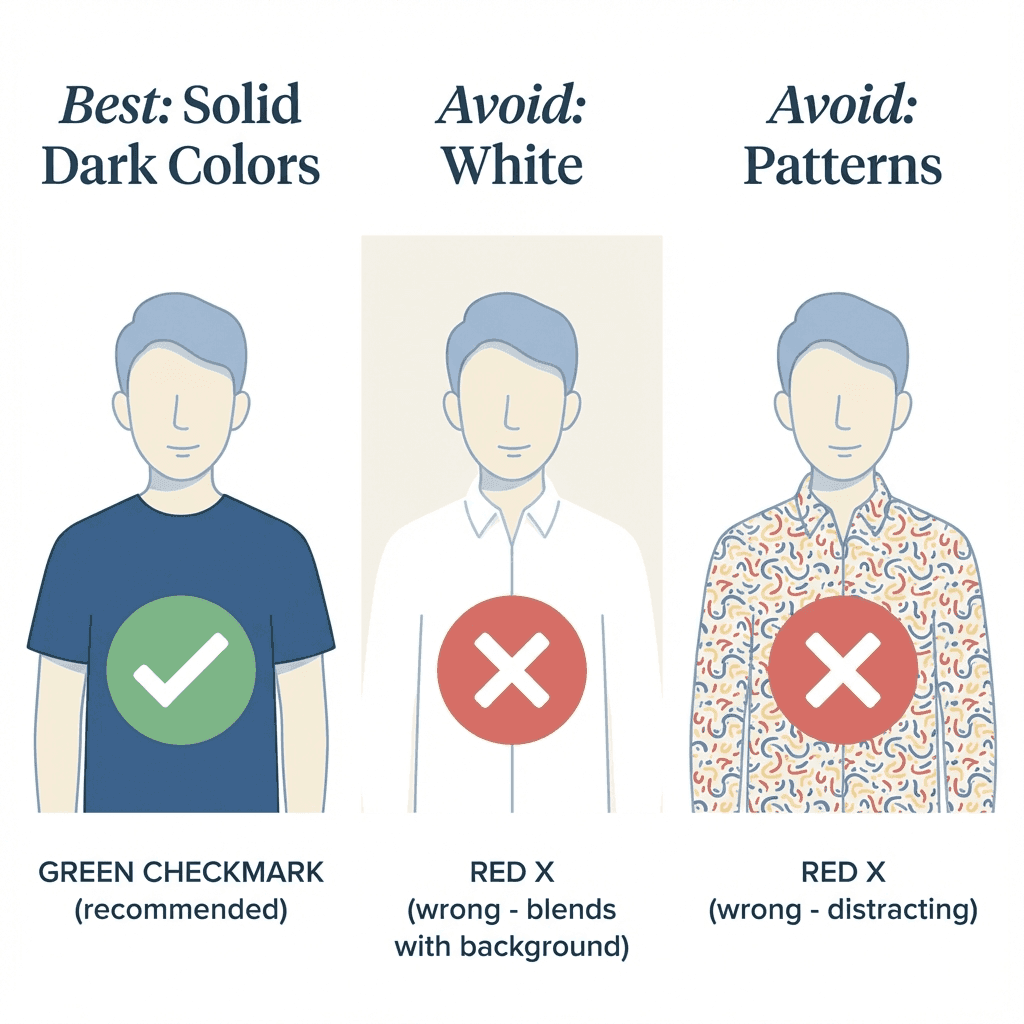
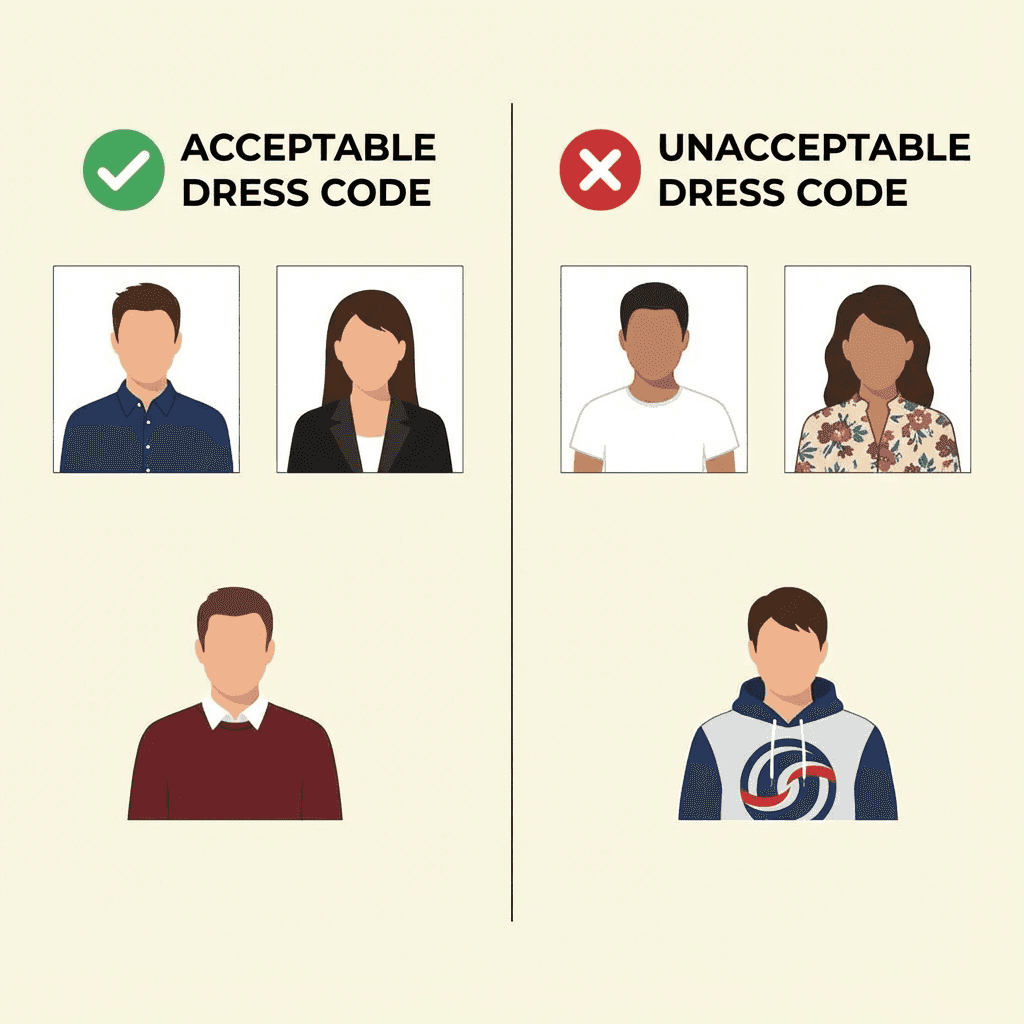
What to Wear for Passport Photo
Tips

What to Wear for Passport Photo

Dress code guidelines for Indian passport photos including colors and styles.
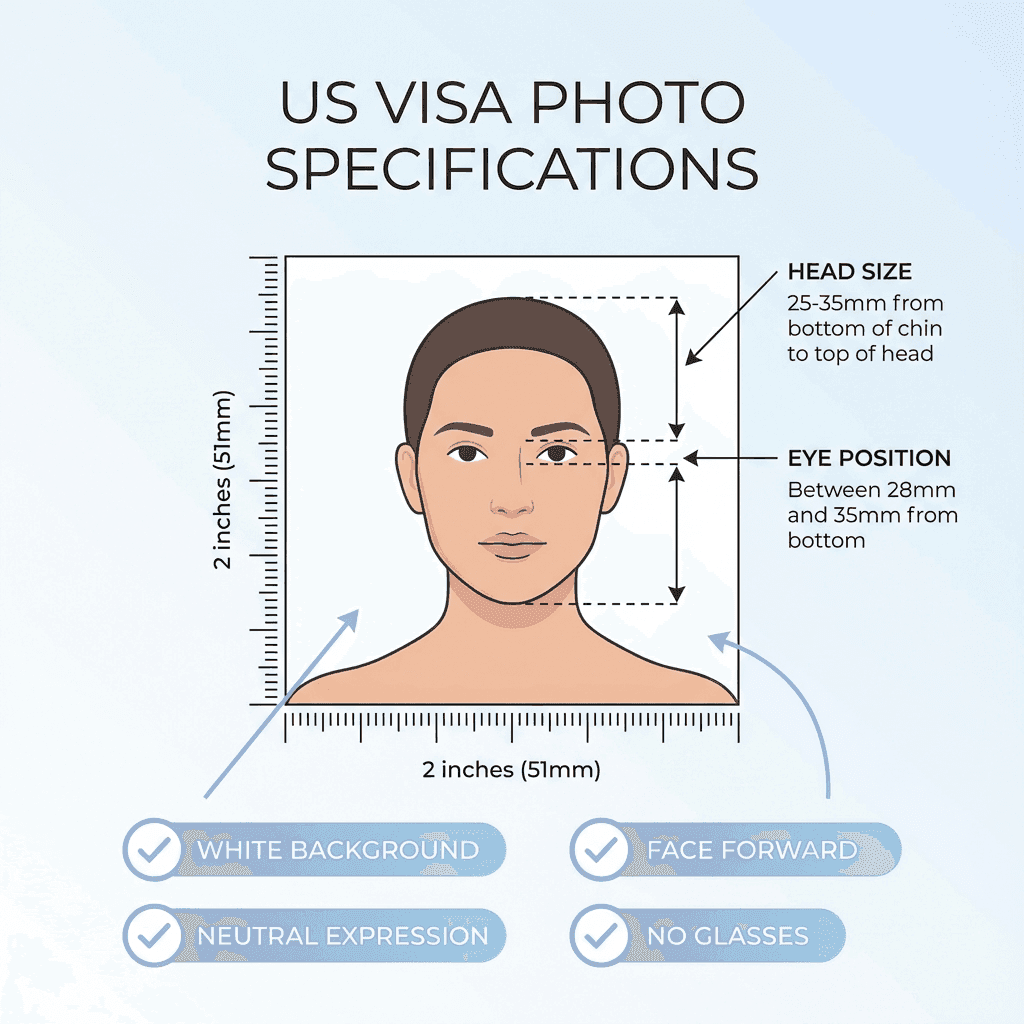
US Visa Photo Requirements
Visa Guide

US Visa Photo Requirements

Complete DS-160 photo specifications for Indians applying for US visa.
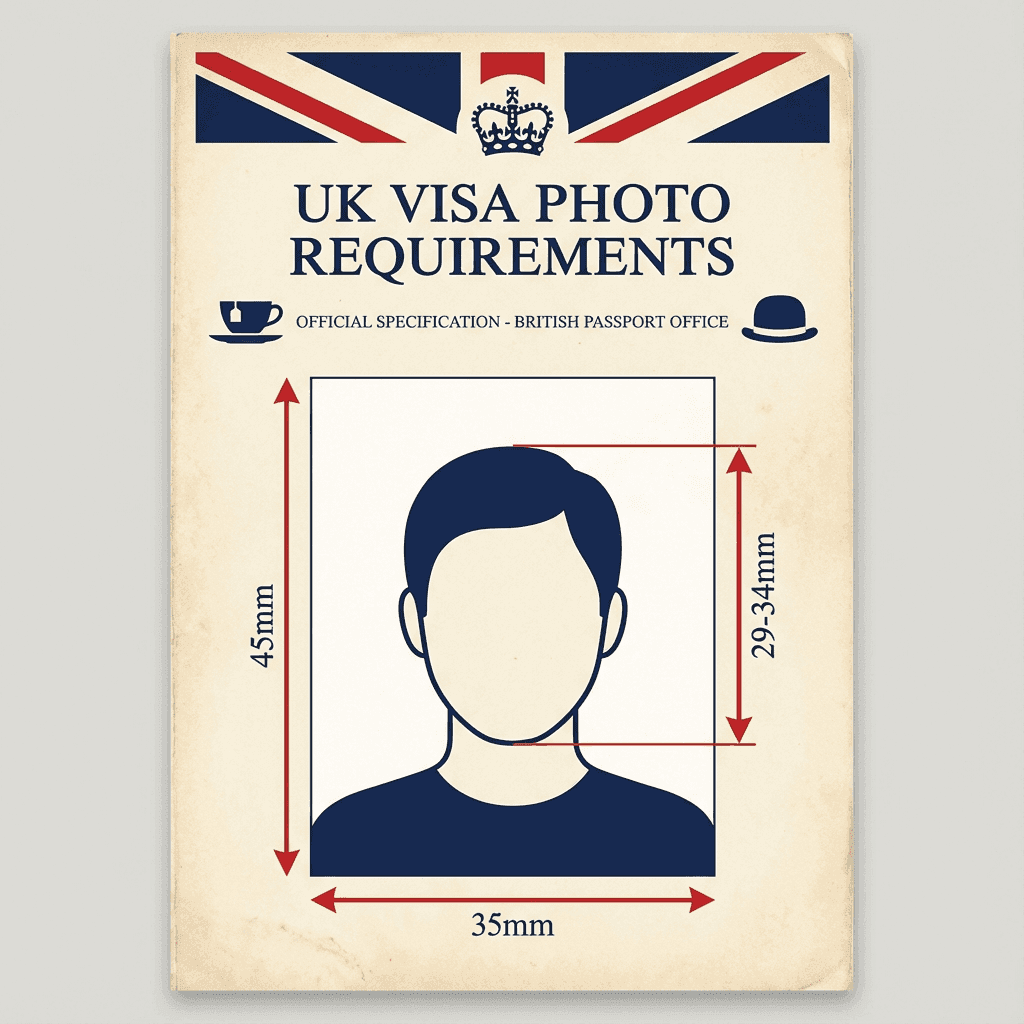
UK Visa Photo Requirements
Visa Guide

UK Visa Photo Requirements

Photo specifications for UK tourist, student, and work visas.
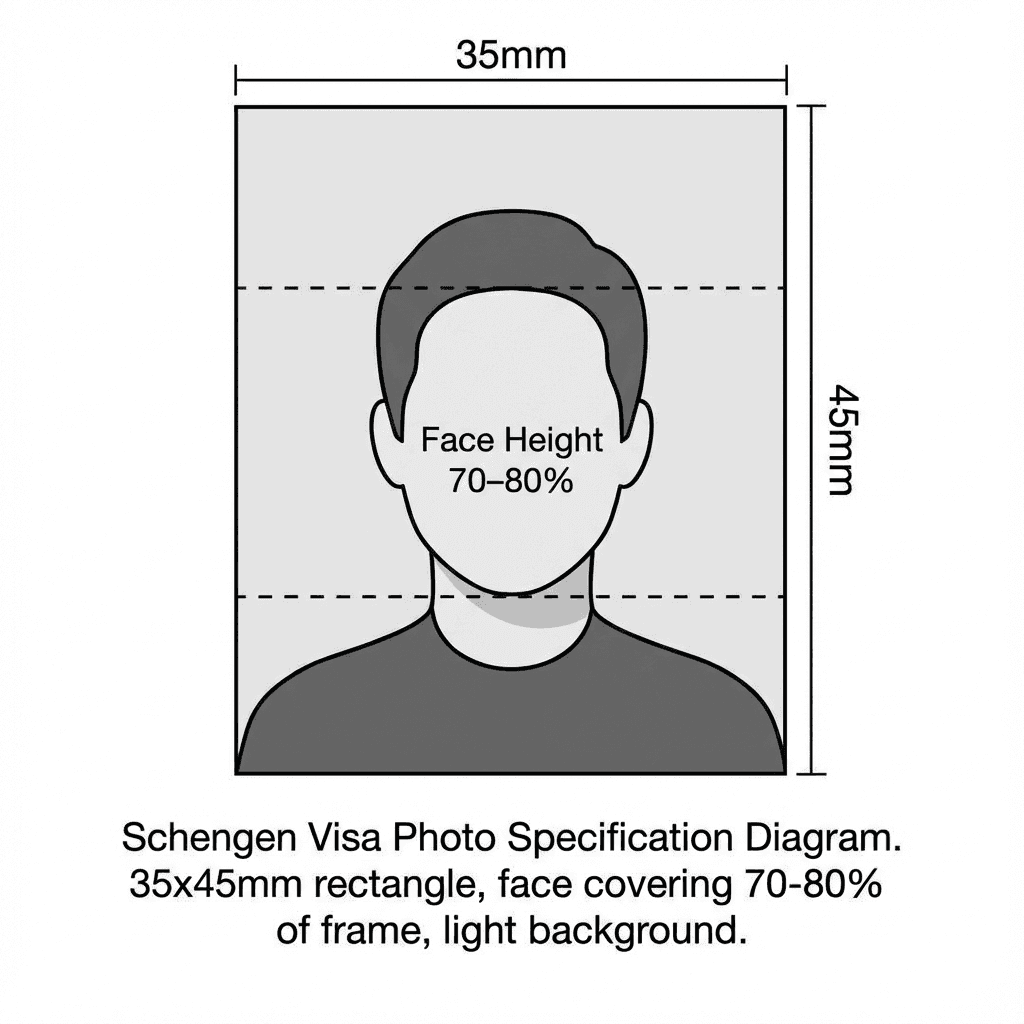
Schengen Visa Photo Requirements
Visa Guide

Schengen Visa Photo Requirements

Photo size and specifications for European Schengen visa applications.
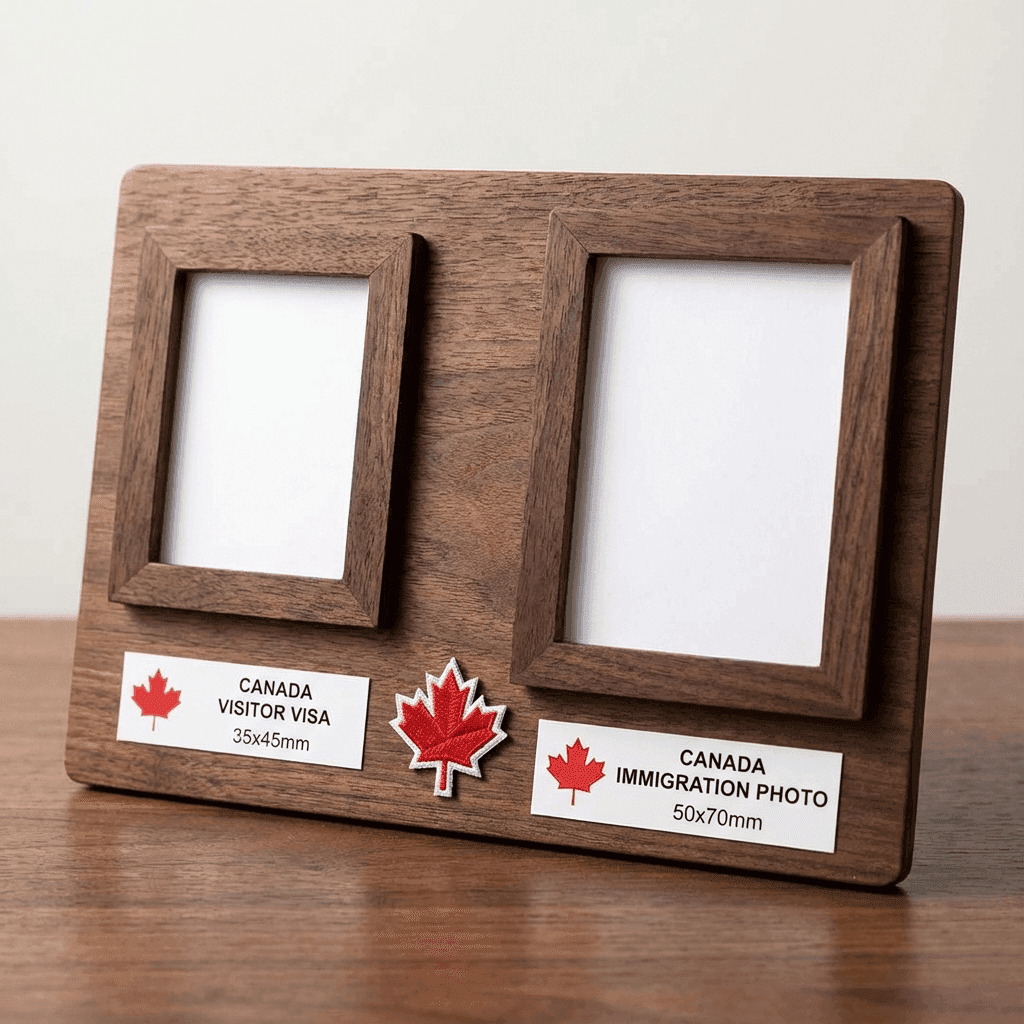
Canada Visa Photo Requirements
Visa Guide

Canada Visa Photo Requirements

Photo specifications for Canadian visa and immigration applications.
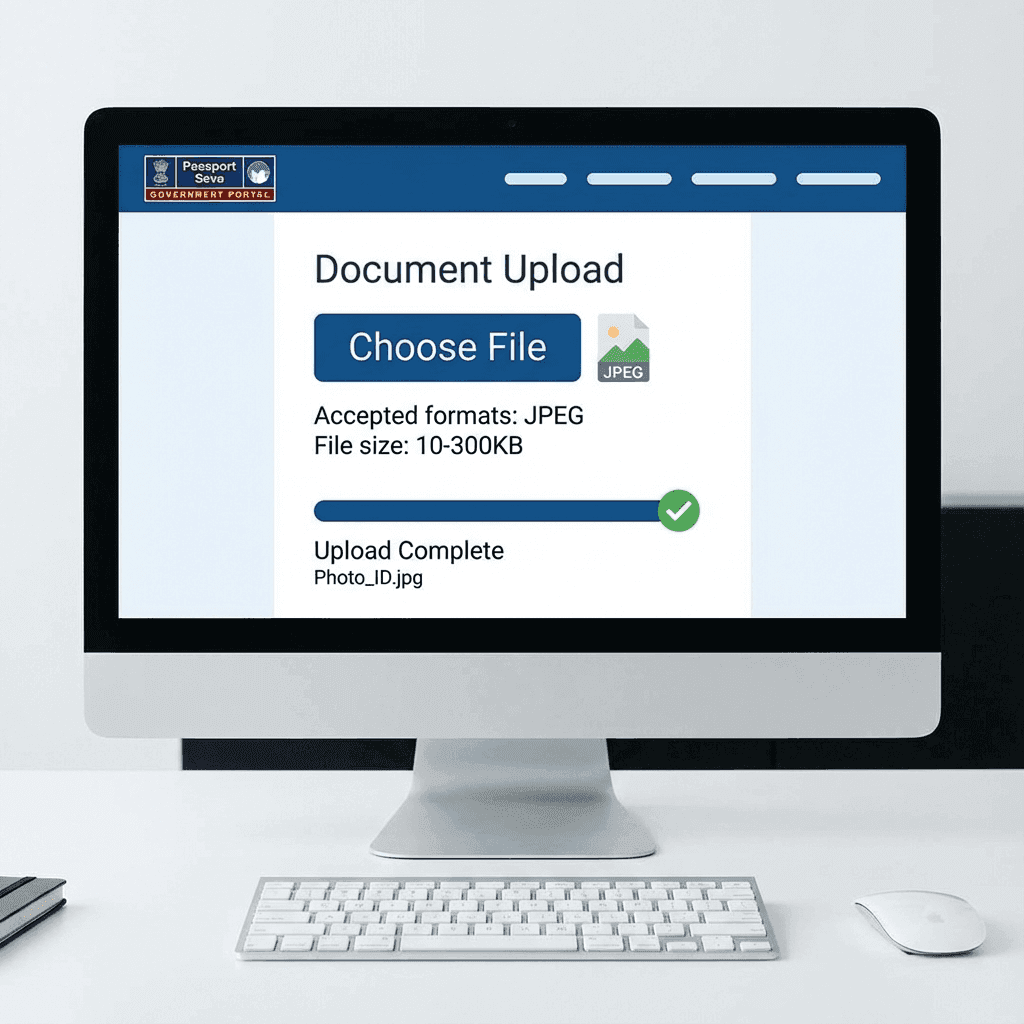
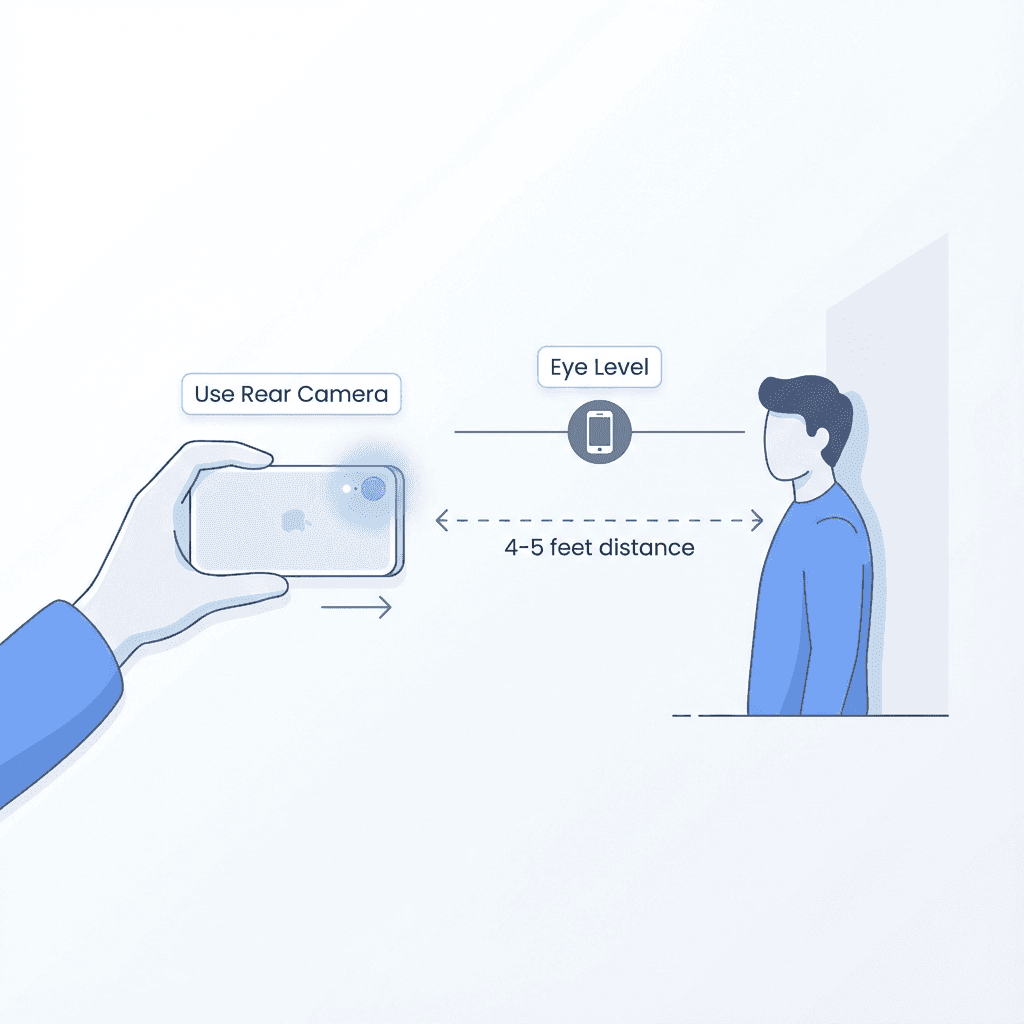
Take Passport Photo with Phone
Tutorial

Take Passport Photo with Phone

Use your smartphone camera to capture compliant passport photos.

Passport Seva Photo Upload
Tutorial

Passport Seva Photo Upload

How to upload photos to Passport Seva portal without errors.

Passport Renewal Photo Guide
Guide

Passport Renewal Photo Guide

Photo requirements for renewing your Indian passport.
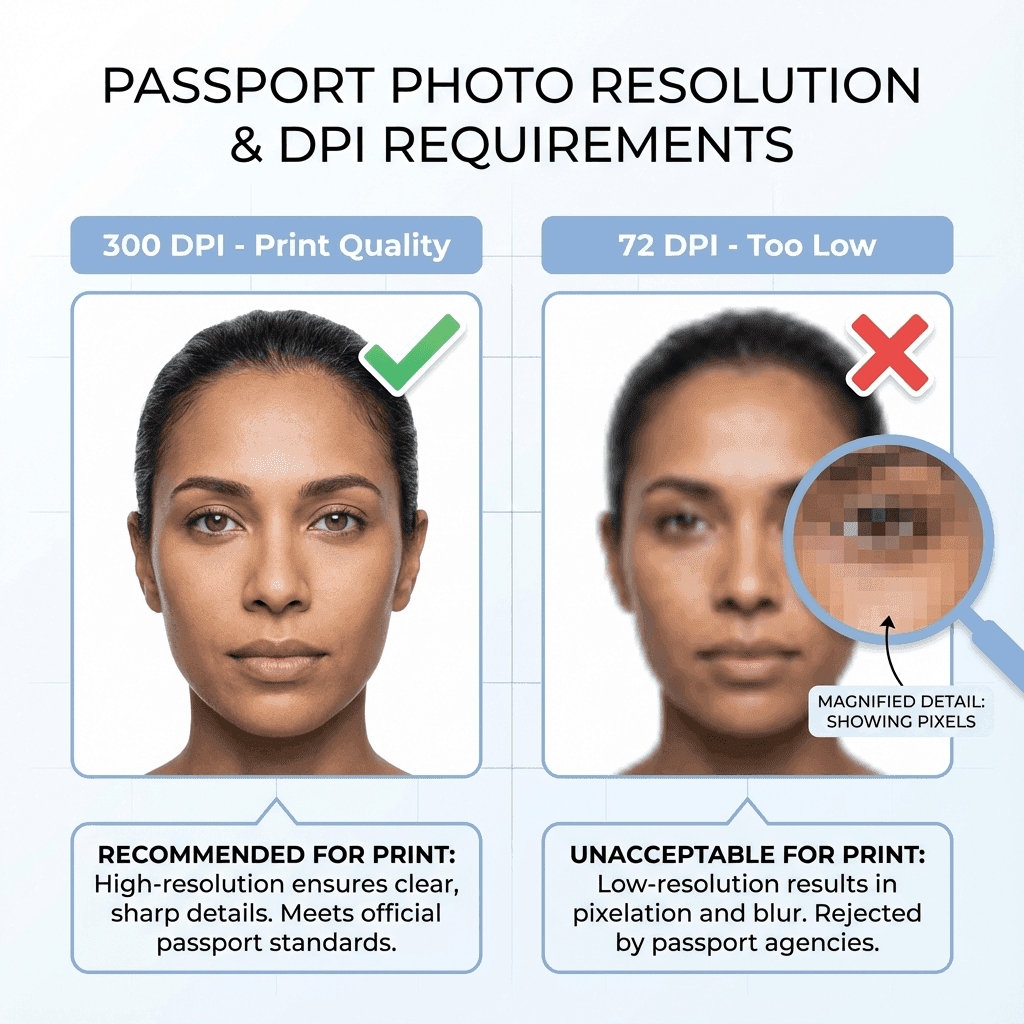
Photo File Size Requirements
Technical

Photo File Size Requirements

KB limits and compression guide for online passport applications.
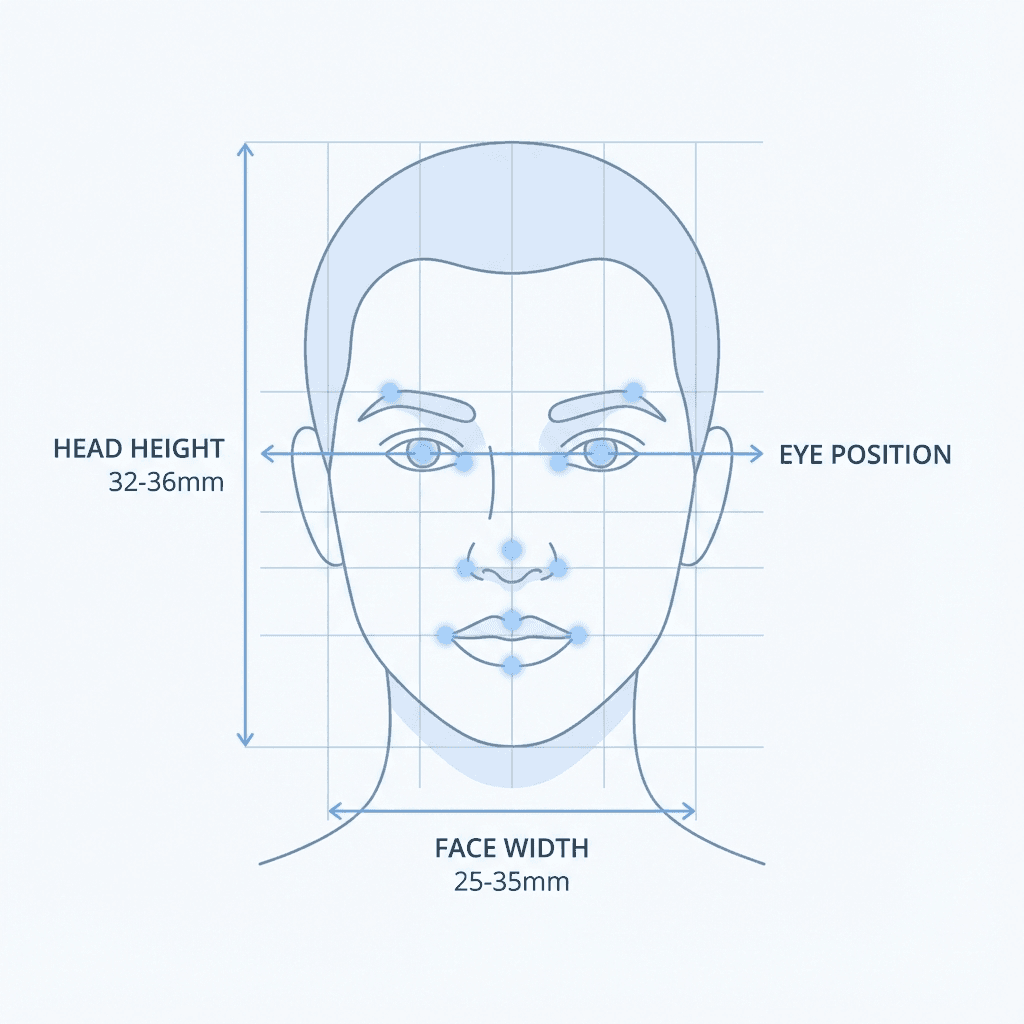
Biometric Photo Specifications
Technical

Biometric Photo Specifications

ICAO standards and biometric requirements for passport photos.

Resolution & DPI Guide
Technical

Resolution & DPI Guide

Understanding DPI, pixels, and resolution for passport photos.
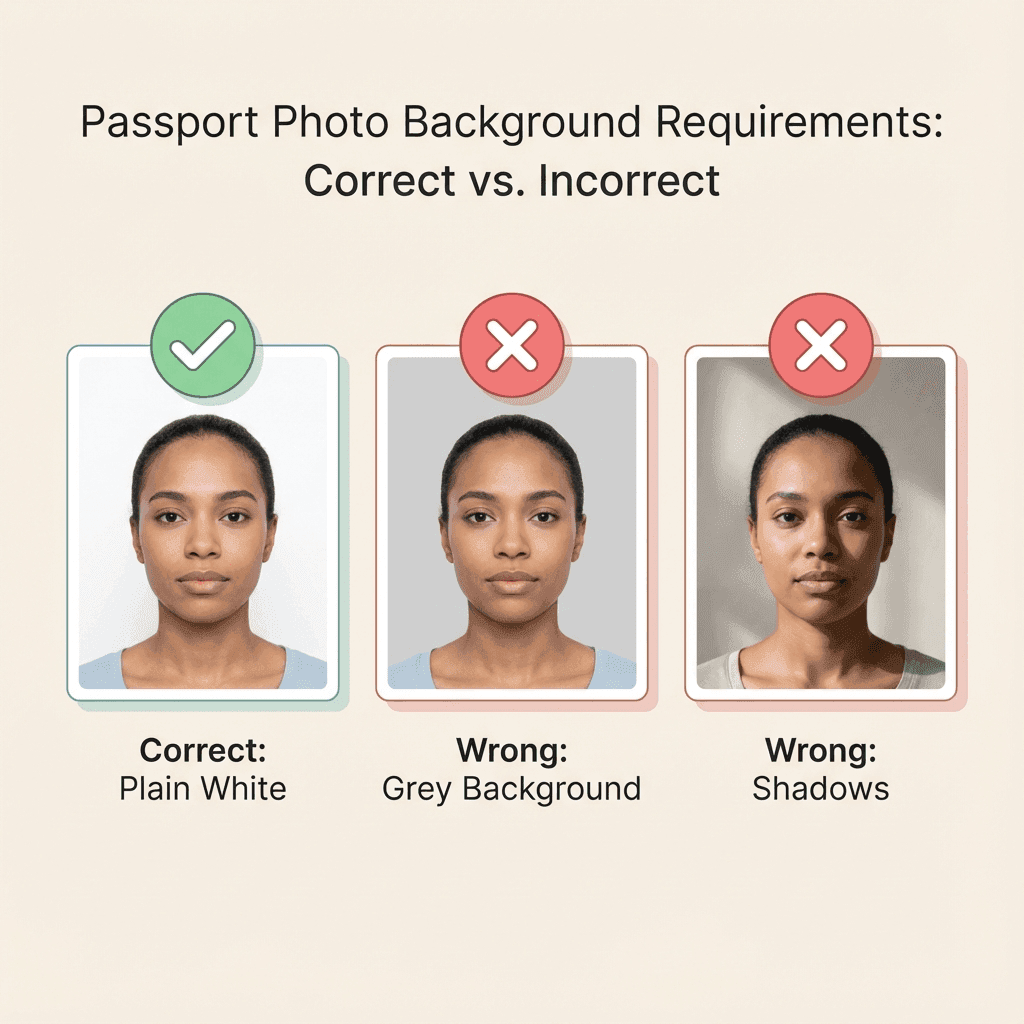
Background Color Guide
Technical

Background Color Guide

White background requirements and DIY setup tips.

Passport Photo Dress Code
Tips

Passport Photo Dress Code

What to wear and what to avoid in passport photos.

Lighting Tips
Tips

Lighting Tips

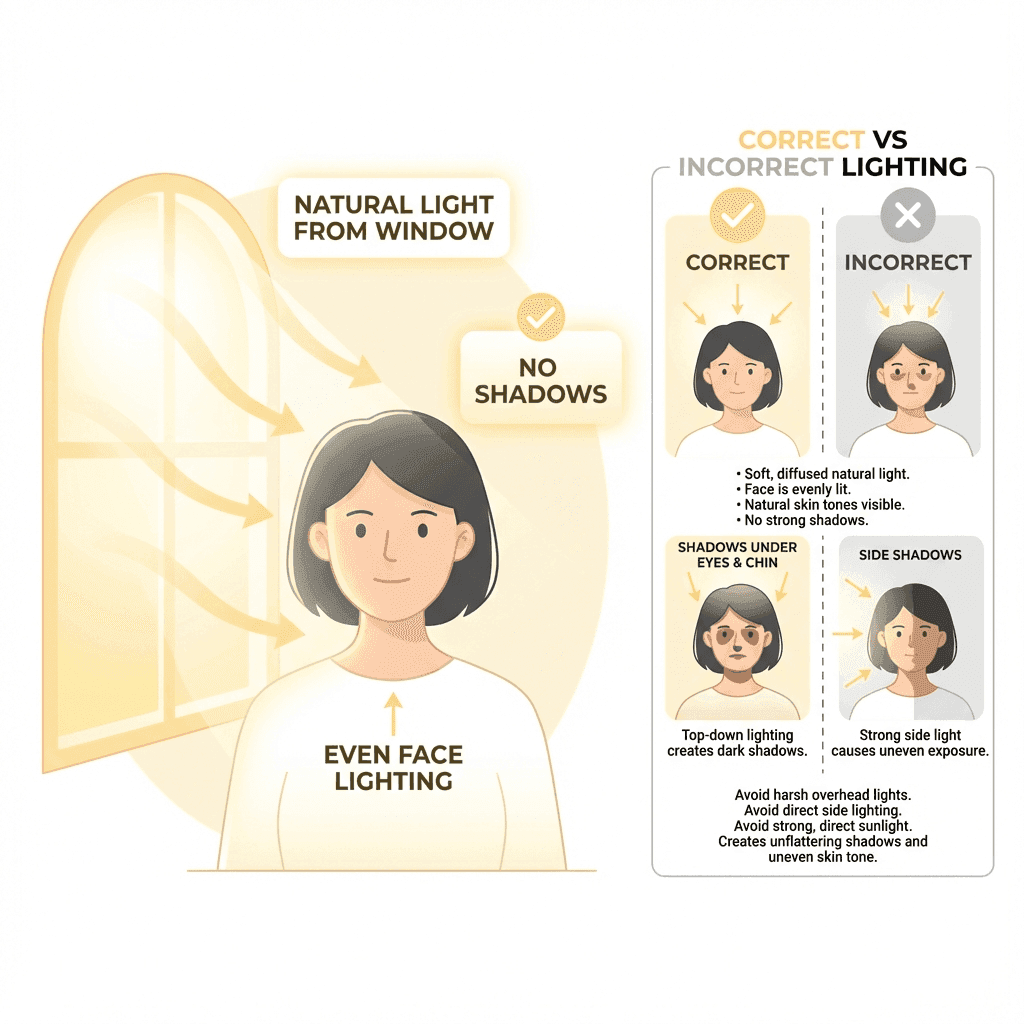
How to get perfect lighting for passport photos at home.

Expression Guide
Tips

Expression Guide

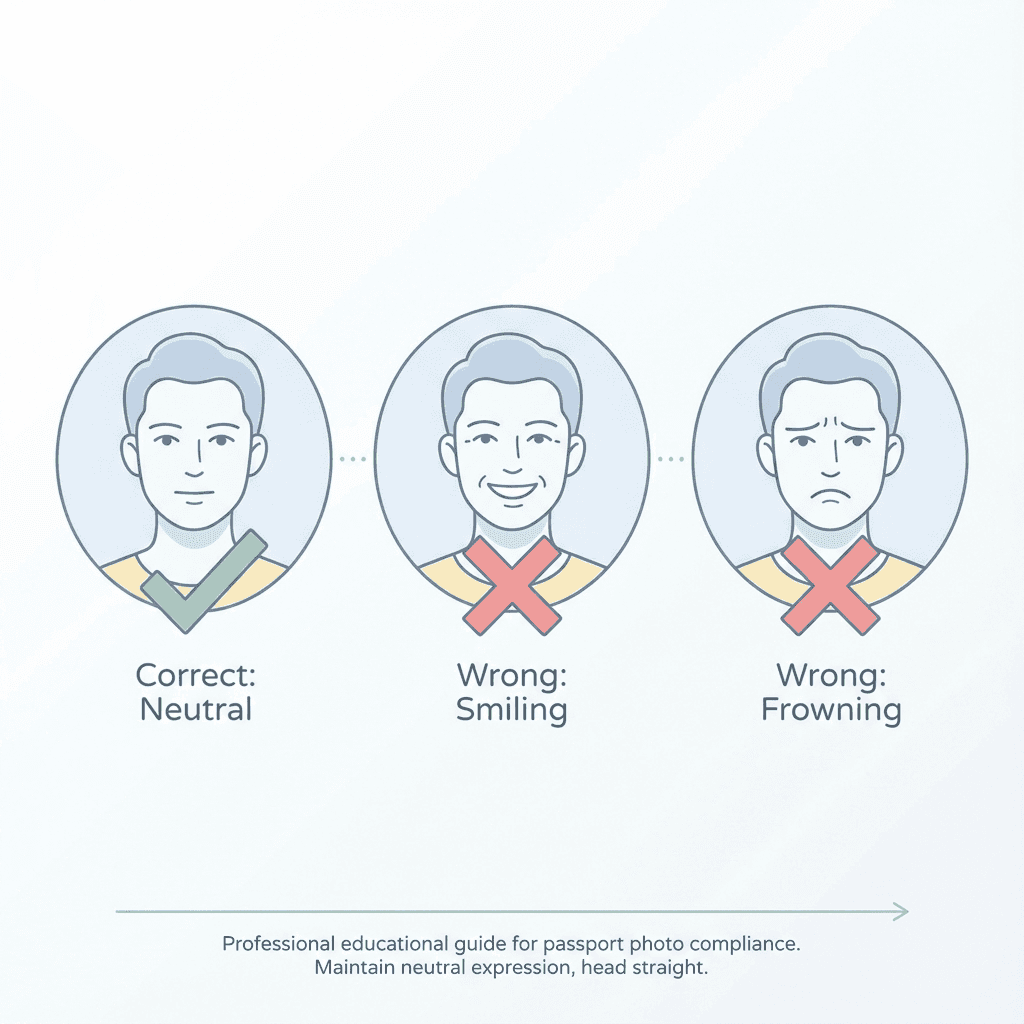
Neutral expression requirements and what is allowed.

Glasses in Passport Photos
Tips

Glasses in Passport Photos

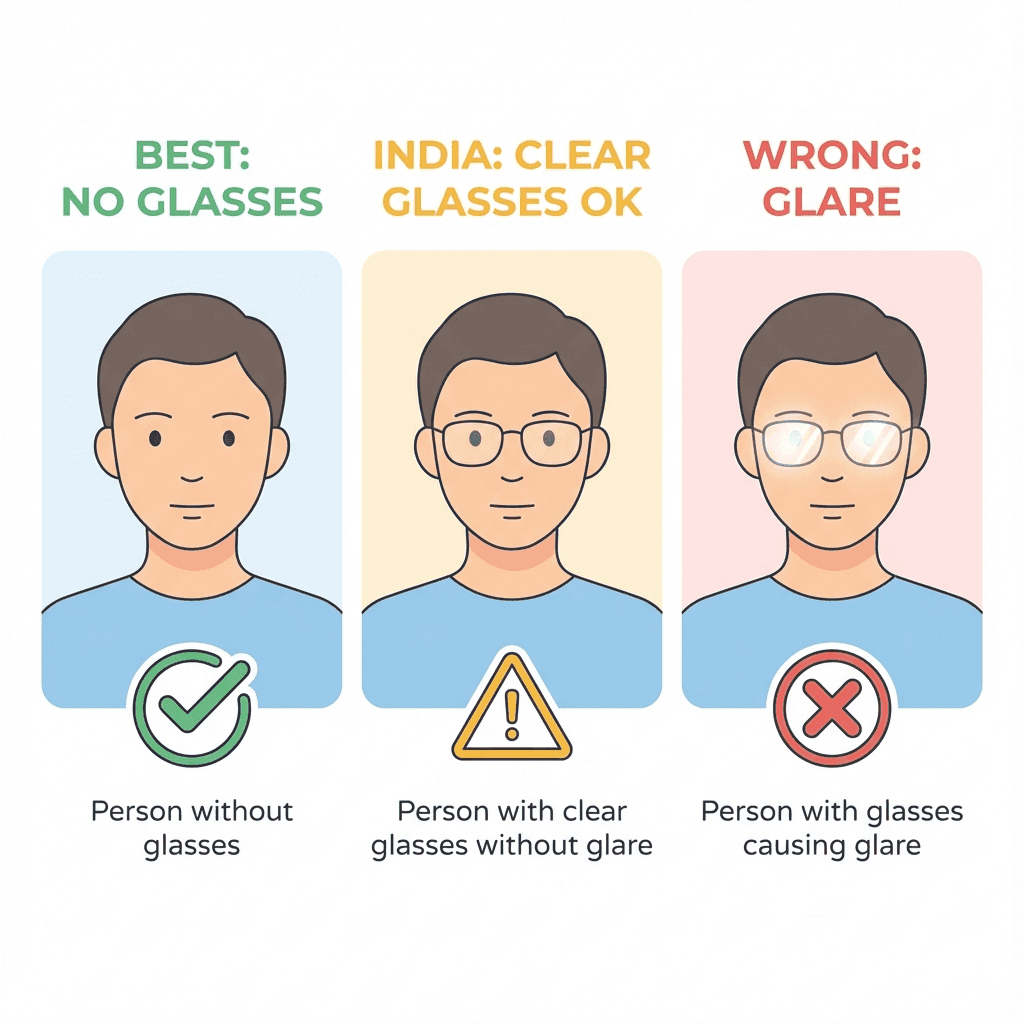
Rules for wearing glasses in passport and visa photos.
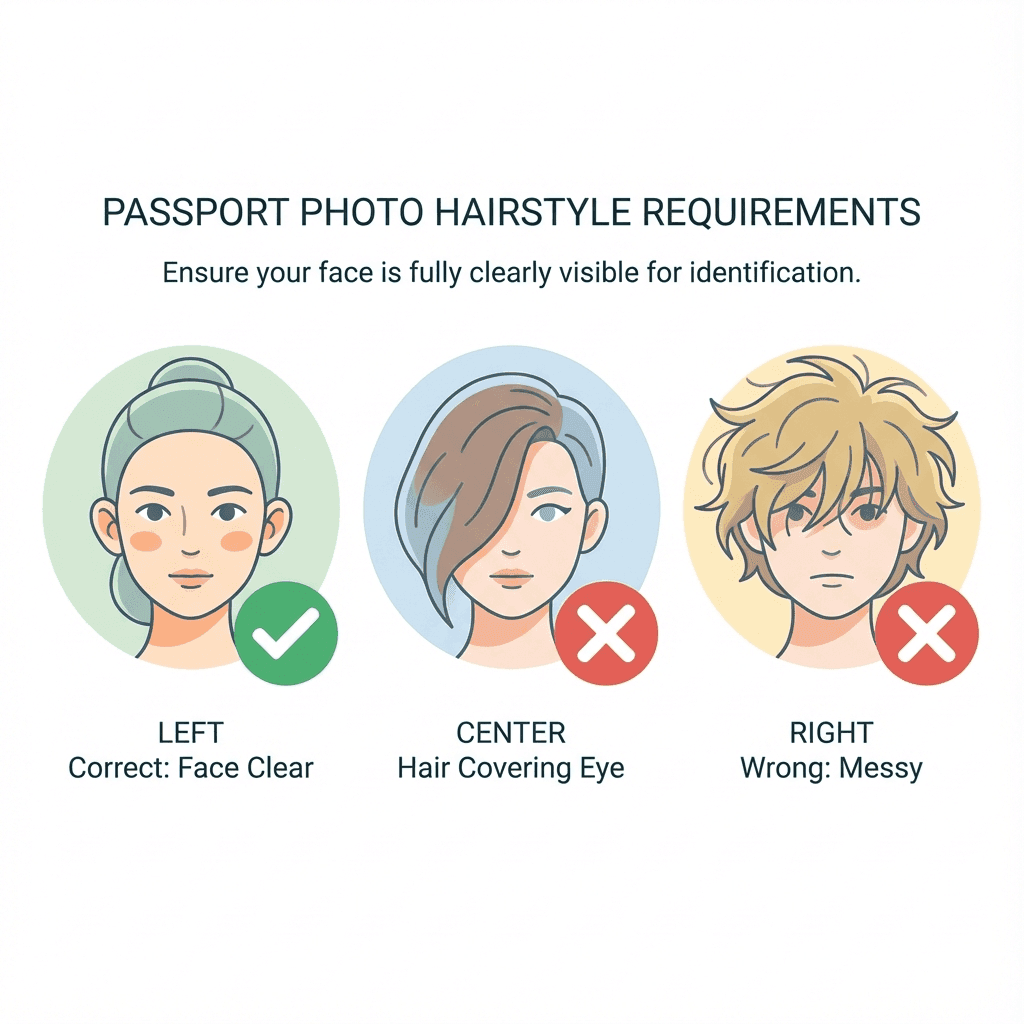
Hairstyle Guidelines
Tips

Hairstyle Guidelines

Hair positioning and face visibility requirements.

Photo Editing Rules
Tips

Photo Editing Rules

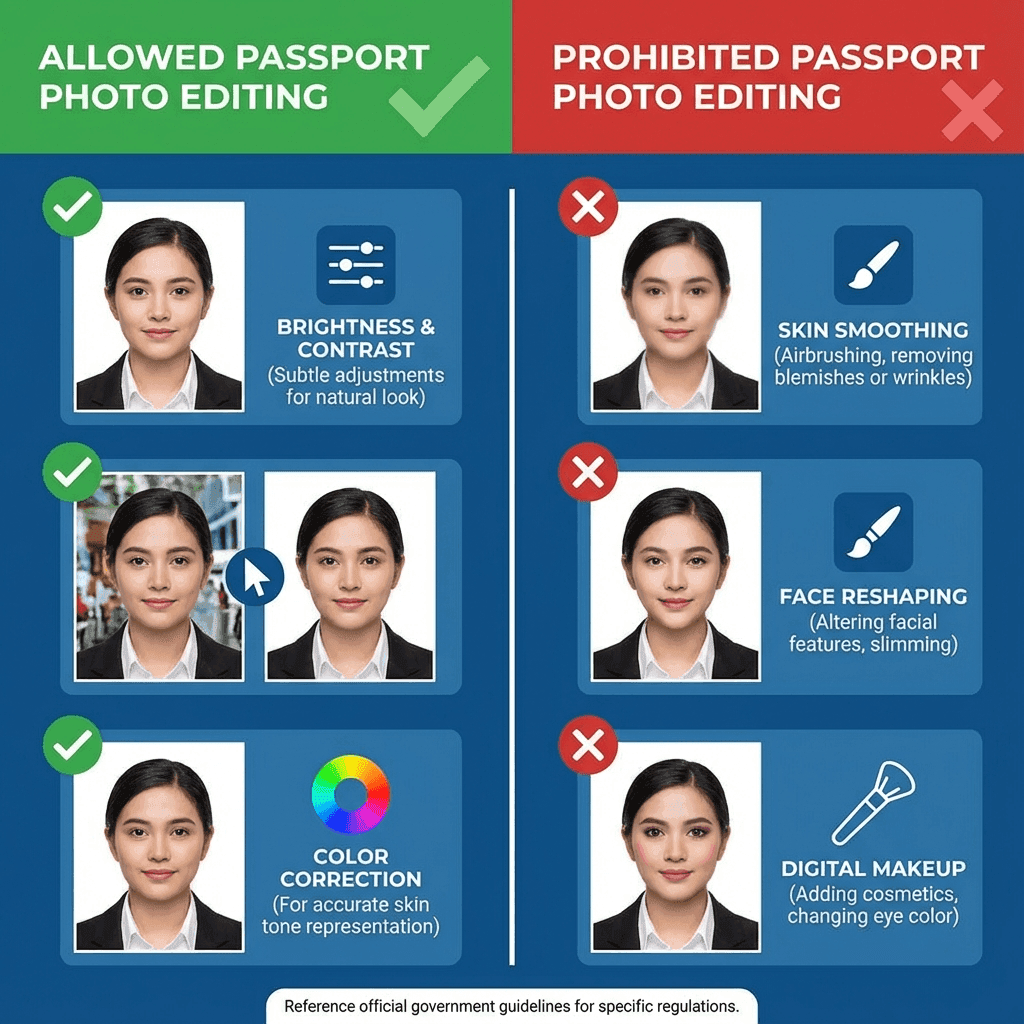
What editing is allowed and what will get rejected.

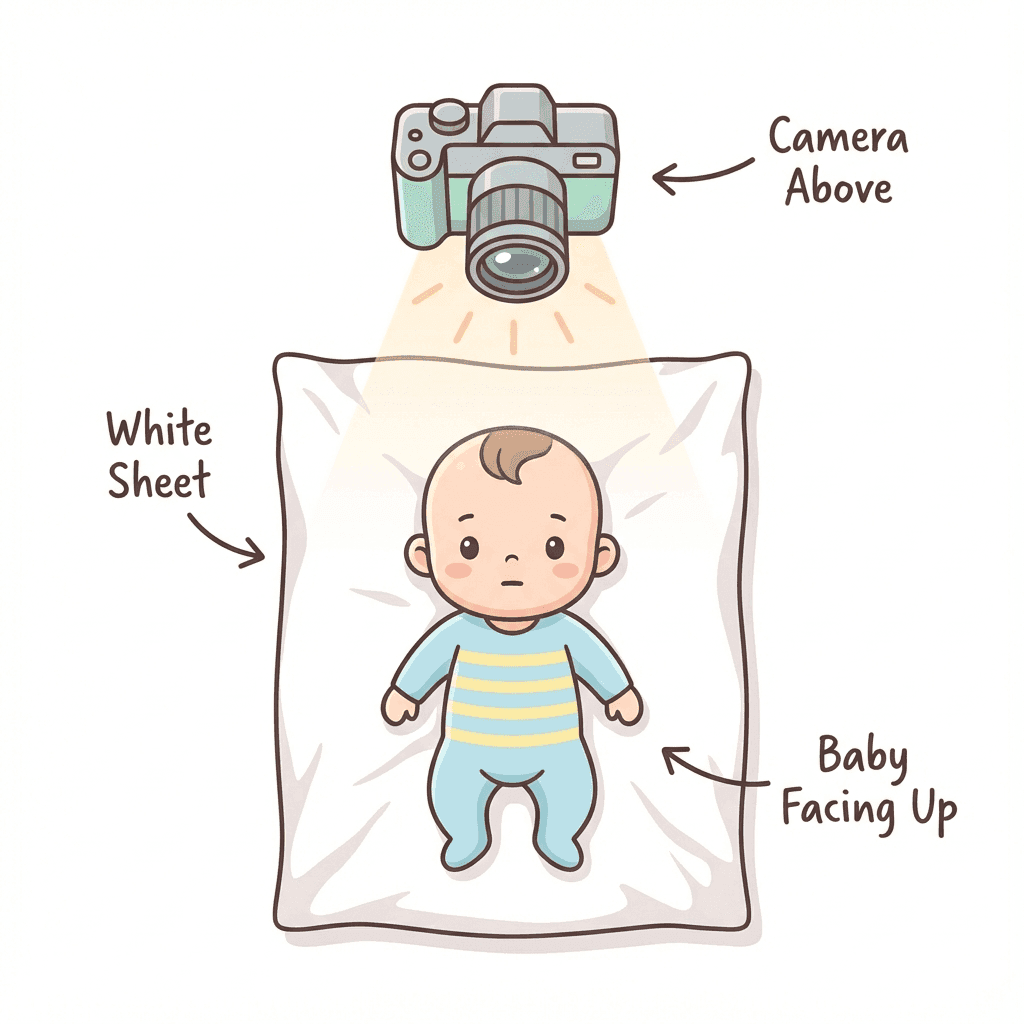
Baby Passport Photos
Special Case

Baby Passport Photos

How to photograph infants and toddlers for passports.

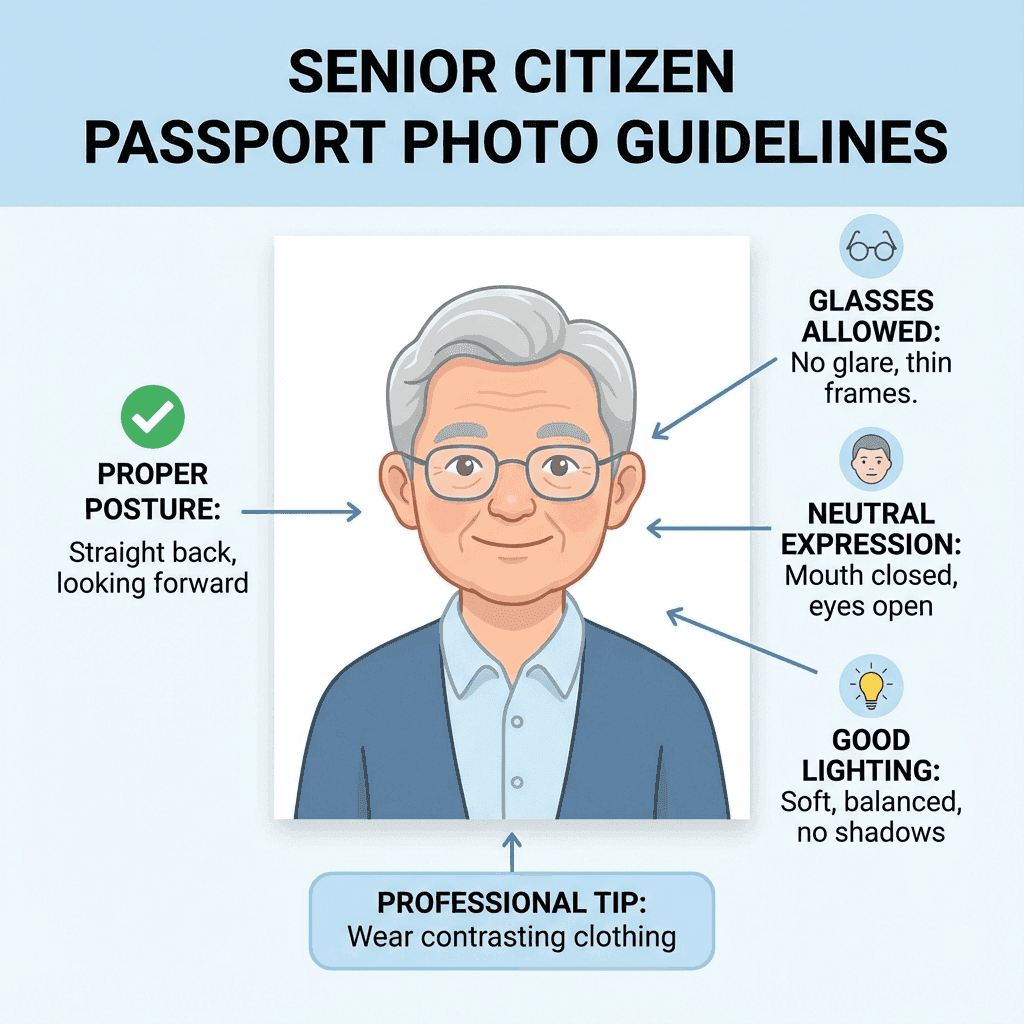
Senior Citizen Photos
Special Case

Senior Citizen Photos

Guidelines for elderly applicants passport photos.

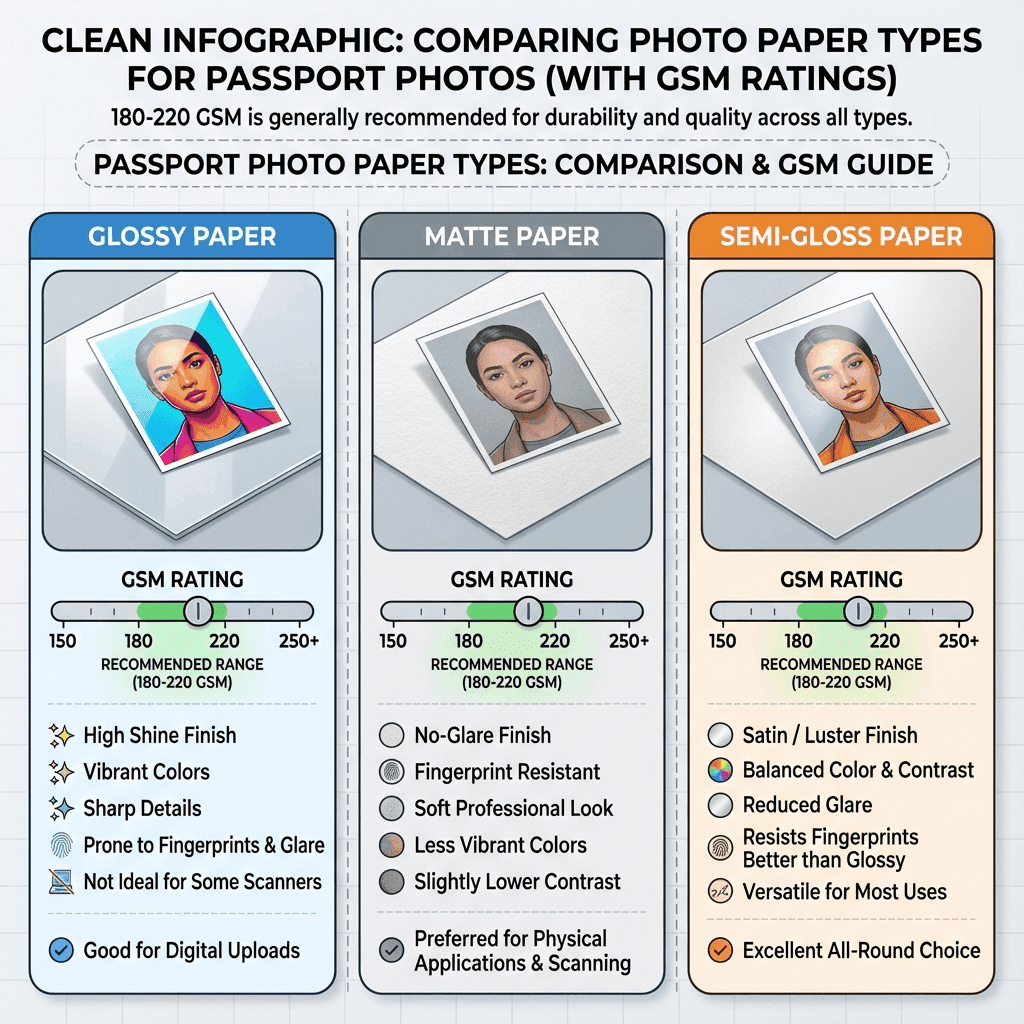
Photo Paper Guide
Resources

Photo Paper Guide

Best paper types for printing passport photos at home.

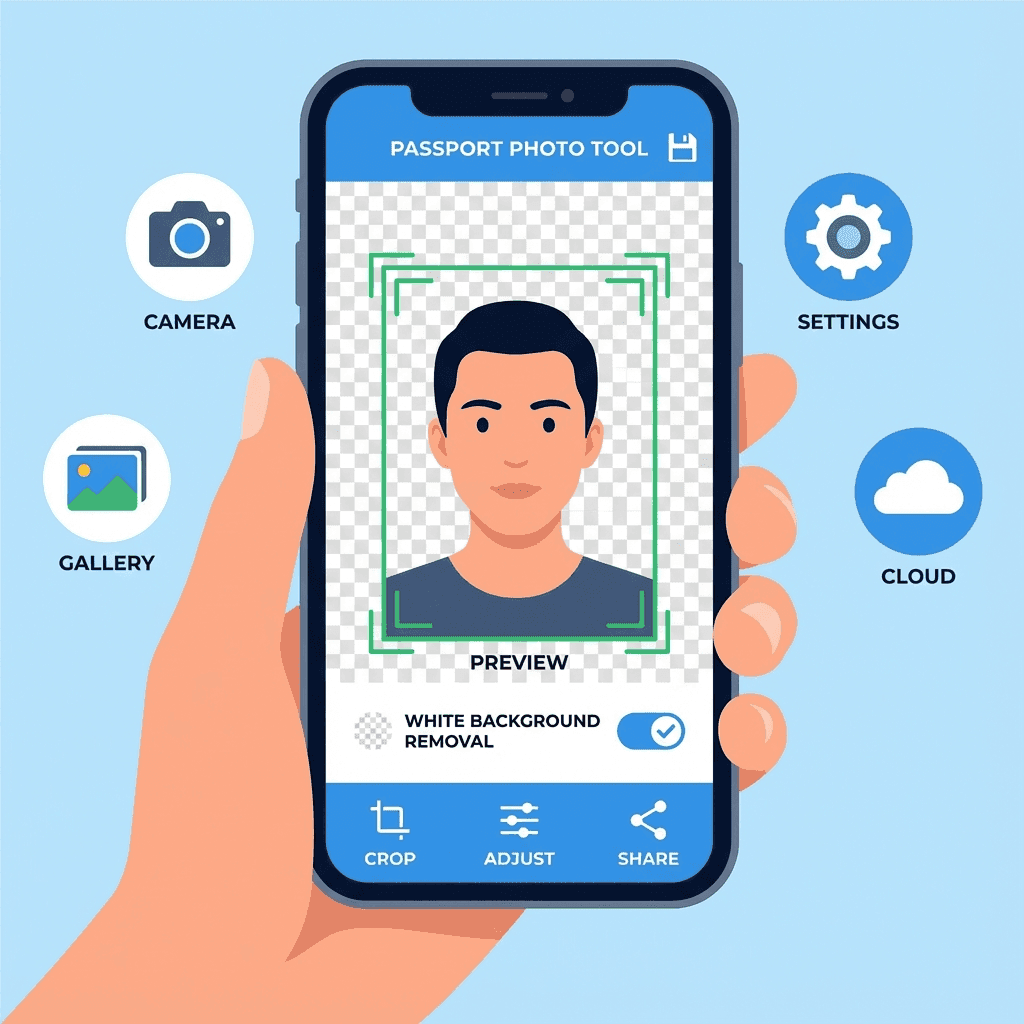
Best Passport Photo Apps
Resources

Best Passport Photo Apps

Top apps for creating passport photos on mobile.

Photo Studios Near You
Resources

Photo Studios Near You

Finding professional photo studios in your city.

Photo Rejected? How to Fix
Troubleshooting

Photo Rejected? How to Fix

Common rejection reasons and how to fix them.

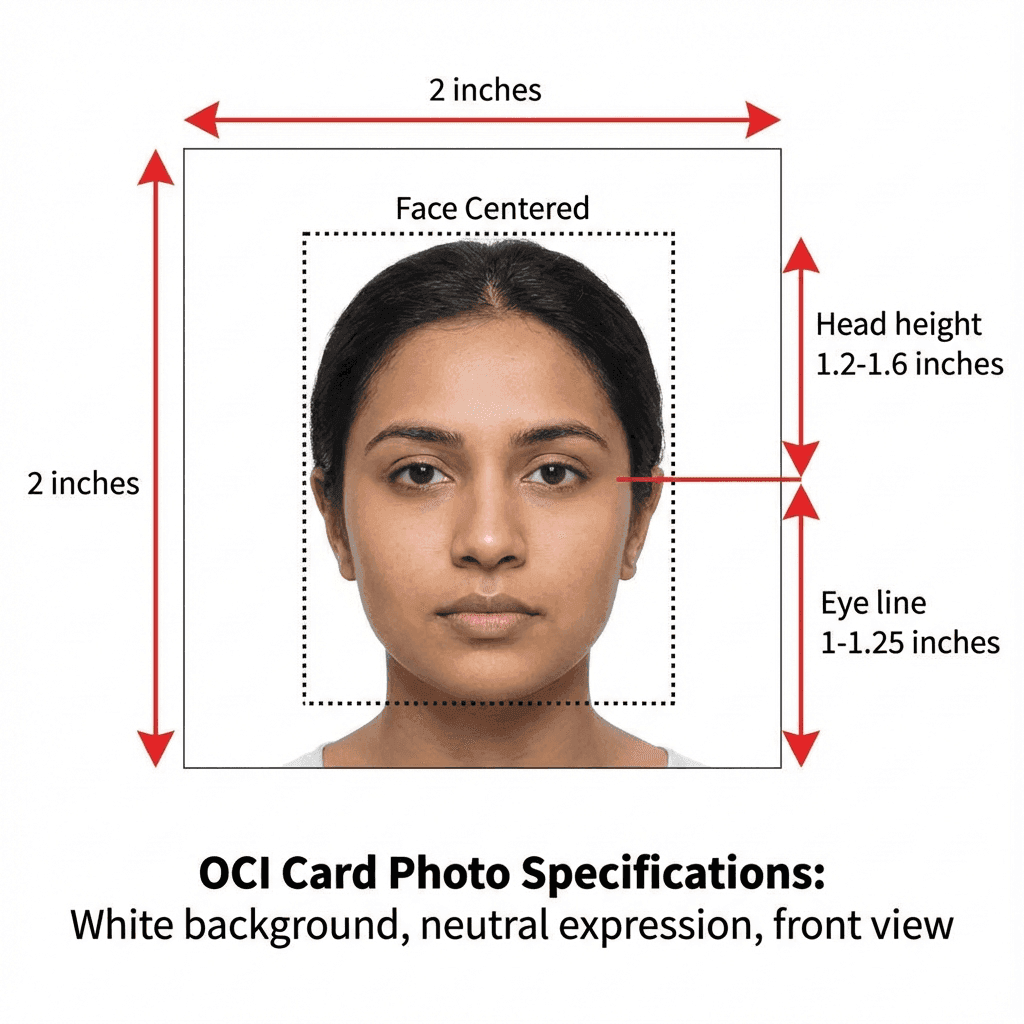
OCI Card Photo Guide
Guide

OCI Card Photo Guide

Photo requirements for Overseas Citizen of India card.

How to use these guides

  1. 1. Start with the article that matches your exact need, such as phone photography, glasses, babies, or seniors.
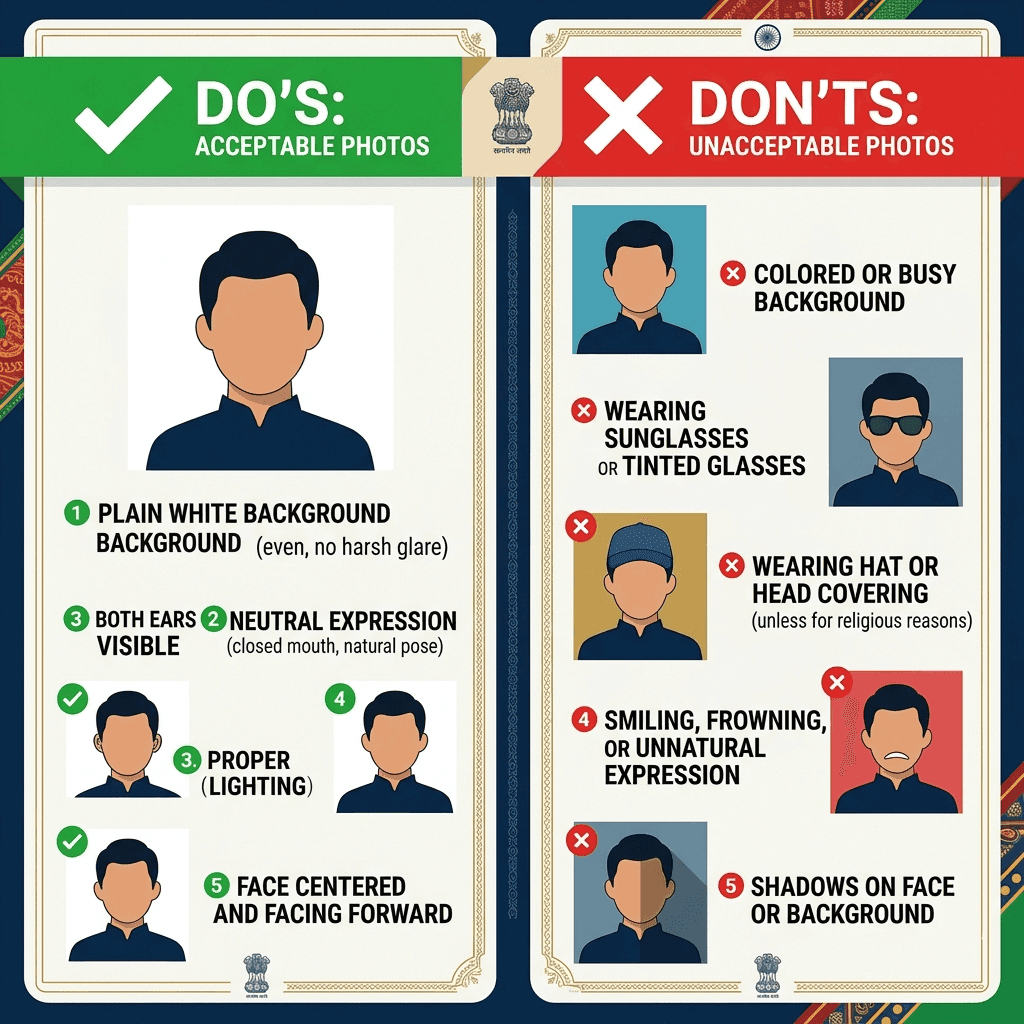
  2. 2. Check the practical checklist before you begin so you do not miss a detail that causes rejection.
  3. 3. Follow the setup steps in order instead of jumping straight to editing.
  4. 4. Review the troubleshooting and FAQ sections if you have a tricky case or a previous rejection.
  5. 5. Use the related posts to move from photo capture to cropping, printing, or upload preparation.

If you are unsure which article to read first, begin with the page about taking the photo, then move to dress code, lighting, and formatting. That order mirrors the real workflow and tends to prevent avoidable mistakes.

What these articles try to cover well

  • • Background color and face visibility
  • • Camera position, framing, and lighting
  • • Country-specific document rules
  • • Photo size, file size, and upload readiness
  • • Rejection reasons and easy fixes
  • • Helpful advice for special cases like children, seniors, and glasses

Popular topics on this site

NeedBest starting articleWhat you will learn
Taking a fresh photoHow to Take Passport Photo at HomeSetup, framing, lighting, and a clean workflow
Using your phoneTake Passport Photo with PhoneRear camera settings, distance, and solo setup
Special casesBaby Passport Photos / Senior Citizen PhotosComfortable positioning and practical workarounds
Rule checksGlasses, Expression, Dress Code, LightingWhat helps, what hurts, and what to avoid
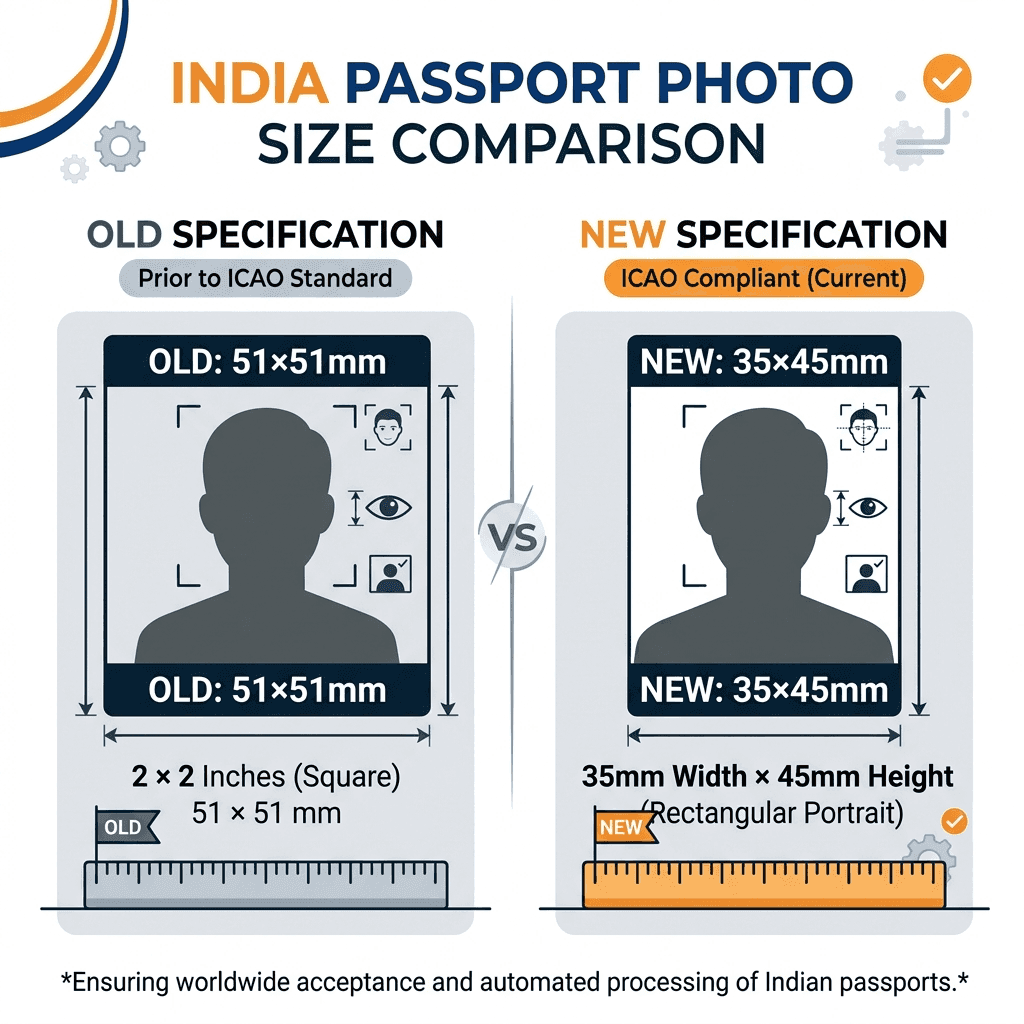
Upload or print prepFile Size, Printing at Home, Photo RequirementsHow to match size, format, and output needs

Why these guides matter

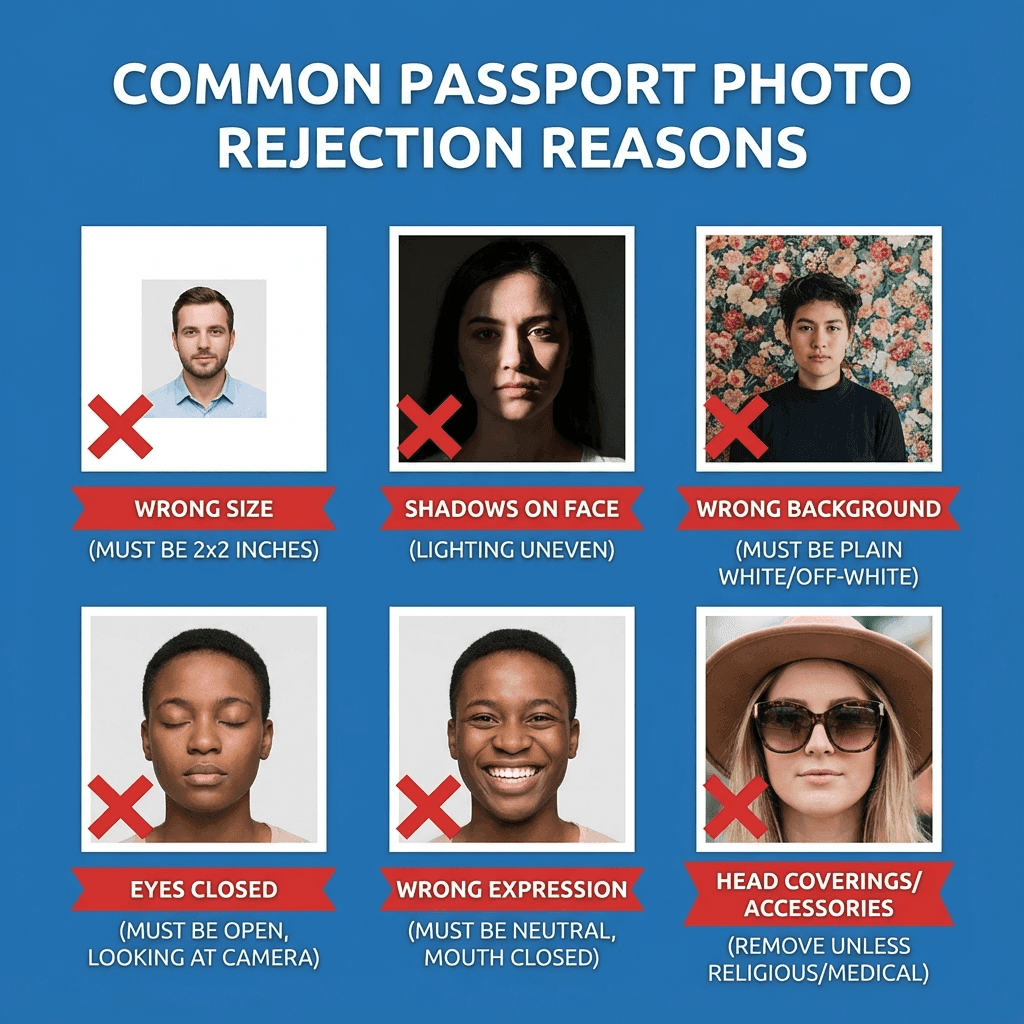
Passport photo rejection is often caused by small issues that are easy to miss in a rushed process: a shadow across the cheek, a bad crop, a reflective pair of glasses, a background that is not truly plain, or a file that is too large for upload. A good guide saves you from trial and error.

What makes the content useful

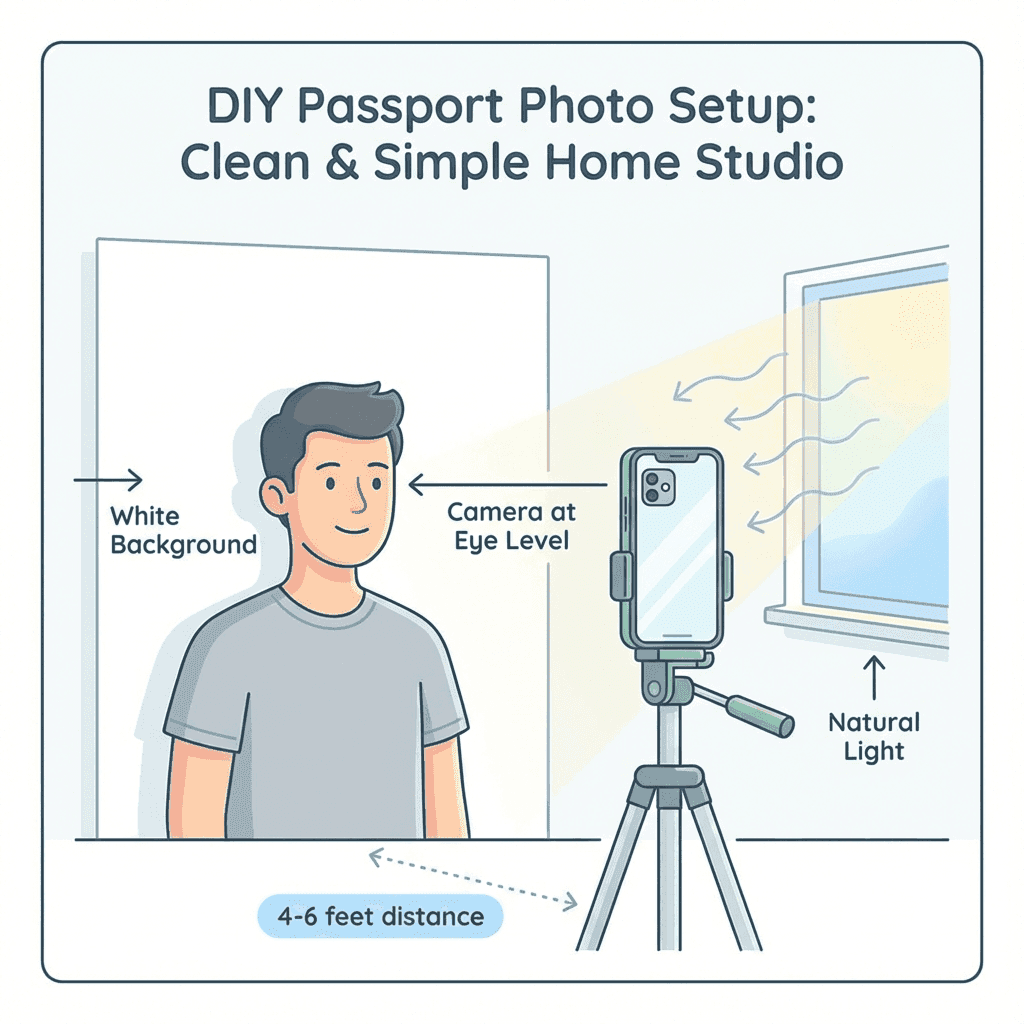
The best advice is specific enough to act on immediately. That means telling you how far to stand from the camera, how to place the light, when to remove glasses, and what to do if you are photographing a baby, an older adult, or someone using a wheelchair.

How to read each article

Skim the heading that matches your problem first, then move to the checklist or table, and finally check the FAQ for edge cases. That approach works well whether you are preparing a paper printout or uploading a digital image.

A few promises we try to keep in every guide

We keep the language direct and friendly, because most people do not need a lecture when they are trying to finish an application. They need a useful answer and a clean next step.

We also avoid filler. If a rule matters, we explain why. If a shortcut is risky, we say so plainly. If a detail is optional, we make that clear too.

That balance helps the pages stay readable and trustworthy while still giving search engines enough topic coverage to understand what each article is really about.

If you are building a photo for a specific government form, the related posts will usually point you to the next practical step, from capture to crop to final submission.

We also try to keep each article distinct. A clothing guide should answer outfit questions, while a printing guide should focus on paper, scaling, and cutting. That separation keeps the site easier to use and helps each page cover its own topic more completely.

What to do after reading a guide

Once you finish an article, the next best step is usually to set up your photo in the same order the guide recommends. That means checking the background first, then the clothing, then the camera or printer settings, and finally the crop or upload size.

If something still looks off, go back to the most relevant section instead of restarting from scratch. Small fixes are usually enough, and the guides are written to make those fixes obvious and fast.

Why this blog is organized this way

The site groups related topics together so you do not have to jump between unrelated pages. That is especially useful when one decision depends on another, like choosing paper after you have already chosen the print size and file format.

In practice, this makes the process calmer and more predictable. You can solve one small part at a time instead of trying to memorize a giant checklist all at once.

Ready to Create Your Photo?

Free, instant, and meets all requirements.

Create Passport Photo →