Passport Seva Photo Upload Guide
Prepare your Passport Seva photo upload with format, size, background, compression, and common error checks.
Quick answer
For Passport Seva, upload a square JPEG photo with a plain white background, file size between 10 KB and 300 KB, and dimensions that are usually at least 350×350 pixels. The portal is strict, so the safest approach is to prepare the file carefully before you click upload.
If you are unsure, use the same photo rules that apply to Indian passport applications in general: clean lighting, neutral expression, no distracting shadows, and a file that opens clearly on a computer before upload.
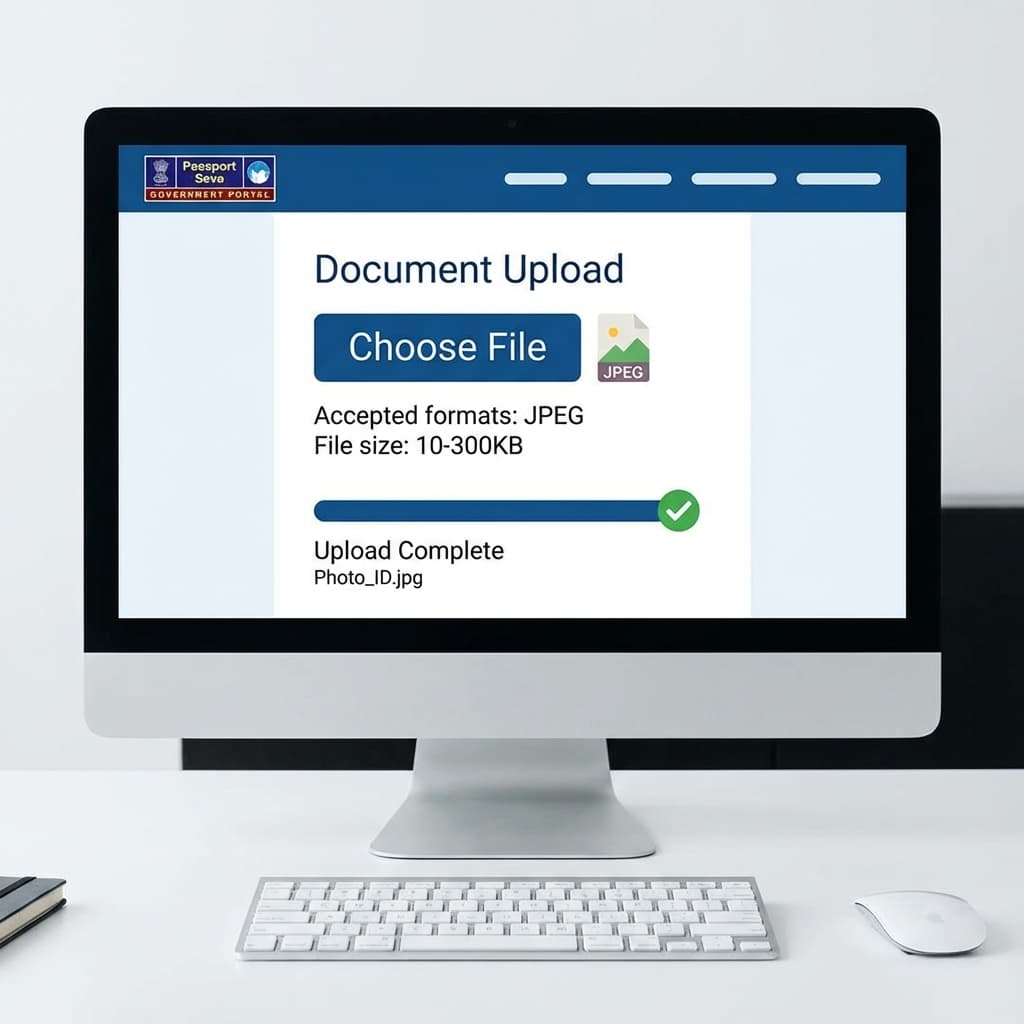
Photo Requirements for Upload
The Passport Seva portal is not looking for a fancy photo. It wants a clean upload file that can be checked without manual correction. That means the photo must be readable, simple, and saved in the format required by the current portal flow.
| Format | JPEG (.jpg) only |
| File Size | 10 KB - 300 KB |
| Dimensions | 350×350 px (min) to 1000×1000 px |
| Aspect Ratio | Square (1:1) |
| Background | White |
In practice, the best file is usually somewhere near the middle of that range. A photo that is too small may look soft, while a file that is too large often gets rejected before the portal even checks the image content. Keeping the file balanced helps both upload success and final approval.
Quick Tip
Use PassportSizePhoto.in to prepare a cleaner passport photo file, or compare the rules with file size requirements and photo requirements.
Upload Steps
The upload flow is straightforward, but many users fail because the file is not prepared in advance. If you get the image right first, the portal step becomes much easier.
- Log in to Passport Seva and open the active application.
- Confirm that the photo slot is the correct one for your application type.
- Check that the file is saved as JPEG and has a square crop.
- Select the file from your computer or phone storage.
- Wait for the portal to validate size, format, and dimensions.
- Review the preview and make sure the face is centered and clear.
- Save or continue only after the image appears correct.
If the portal seems slow, do not refresh repeatedly. A second upload attempt with the same broken file usually produces the same result. It is better to fix the file first, then upload again.
Prepare the File Before Upload
A reliable Passport Seva photo usually starts with a high-quality source image. Crop the face carefully, keep the shoulders visible, and avoid excessive filters. The portal is meant for identification, so a natural photo is always safer than an edited one.
If you are editing manually, export in JPEG and review the file after saving. Some apps change the size too aggressively, while others produce a file that is technically correct but visually weak. Always open the final image before you upload it.
| Step | What to Check |
|---|---|
| Crop | Square frame with centered face |
| Save format | JPEG only, not PNG or HEIC |
| File weight | Inside the 10 KB to 300 KB range |
| Background | Plain white and shadow-free |
| Sharpness | Face and eyes should look crisp |
Pre-Upload Checklist
Checklist
- ✅ JPEG file saved correctly
- ✅ Square ratio, not rectangular
- ✅ White background without shadows
- ✅ Neutral expression and forward-facing pose
- ✅ File size under 300 KB
- ✅ Image opens clearly on your device before upload
Common Errors & Solutions
Most Passport Seva errors are not random. They usually point to a specific problem in the file. Read the message carefully and fix the file instead of trying the same upload again.
| Error | Solution |
|---|---|
| "File too large" | Compress to under 300 KB |
| "File too small" | Use higher resolution photo |
| "Invalid format" | Convert to JPEG |
| "Upload failed" | Try different browser |
Best Practices for Smooth Upload
- Use a stable internet connection before starting the process.
- Prefer a desktop browser if you want easier file handling.
- Avoid renaming the file with special characters or long names.
- Keep one backup copy in case the first file gets damaged during editing.
- Check the file on a second device if the preview looks odd.
- Review resolution guidance if the image appears soft or pixelated.
If you are preparing multiple applications for the family, create a separate finished file for each person. Reusing a single unreviewed image often leads to avoidable mistakes because small details like crop, face position, and brightness can differ from person to person.
Browser and Device Troubleshooting
When the upload fails even though the file looks correct, the issue is often not the photo itself. Browser cache, old sessions, weak network signals, or mobile file handling can interrupt the process. Before you spend time re-editing the image, test the upload in a clean browser session.
Chrome or Edge on desktop usually gives the most predictable result because file selection is easier and error messages are easier to read. If you are using a phone, make sure the final JPEG is stored locally and not only inside a cloud gallery preview. Some upload errors happen because the portal cannot read the file cleanly from that source.
| Problem | What to try first |
|---|---|
| Upload spinner never ends | Refresh once, then try a different browser |
| File opens but will not validate | Re-save as JPEG with a fresh export |
| Phone upload fails | Move the file to desktop and upload from there |
| Preview looks cropped oddly | Check the square aspect ratio before retrying |
If the system rejects a perfectly valid file, do one small change at a time. First change the browser, then the device, then the exported image. That approach helps you find the real cause instead of guessing.
When to Re-Shot the Photo Instead of Editing
Sometimes editing can fix a file. But if the source photo is badly lit, heavily shadowed, or shot at the wrong angle, it is usually faster to retake the picture. A fresh, clean capture often saves more time than trying to rescue a weak original.
- Retake if the face is not centered.
- Retake if the background has strong shadows or color cast.
- Retake if the file looks blurry after compression.
- Retake if the head is tilted or the expression looks unnatural.
A clean retake also helps when the face is too close to the camera or the crop is awkward. Passport uploads work best when the subject is framed in a calm, centered way. If the photo feels rushed, it usually shows in the final file as well.
The goal is to submit a file that looks predictable on every screen, not one that only looks good on the device where it was edited. That one extra check usually saves time, prevents rejection, and makes the rest of the Passport Seva flow easier to complete.
Frequently Asked Questions
What photo format is required for Passport Seva?
JPEG (.jpg) format only. PNG, BMP, and other formats are not accepted by the portal.
What is the file size limit for Passport Seva photo?
10 KB to 300 KB. Photos outside this range will be rejected during upload.
What dimensions are required for Passport Seva?
Minimum 350×350 pixels, maximum 1000×1000 pixels. Recommended 600×600 pixels for optimal quality and file size.
Why is my photo upload failing on Passport Seva?
Common reasons include wrong format (not JPEG), file size outside limits, or wrong dimensions. Use our tool to get a properly formatted file.
Can I upload a rectangular photo to Passport Seva?
No, only square photos (1:1 aspect ratio) are accepted. You must crop your photo to square format.
What background is required for Passport Seva photo?
Plain white background only. Off-white, grey, or colored backgrounds will be rejected.
How do I reduce file size for Passport Seva?
Compress the image using online tools or adjust JPEG quality to 85-90%. Our tool automatically optimizes file size for you.
Can I use the same photo for online and print application?
Yes, but you need different formats. Use digital JPEG for online upload and print on photo paper for physical submission.
Why does Passport Seva reject my photo after upload?
Even after successful upload, photos may be rejected for quality issues like shadows, wrong expression, or low resolution. Review requirements carefully.
How long does photo upload take on Passport Seva?
Upload usually takes 10-30 seconds depending on internet speed. If it takes longer, check your connection and try a different browser.
Can I use a photo edited on my phone?
Yes, as long as the final file still meets Passport Seva rules for JPEG format, square crop, size, and clean white background.
What should I do if the preview looks blurry?
Recreate the file from a higher-resolution source or reduce compression. A blurry preview often means the image was saved too small or with too much compression.
Is it better to upload from a desktop or phone?
Desktop is usually easier because browser uploads, file selection, and error messages are clearer. A phone can work, but desktop gives you more control.
Next practical step
After reading the guide, open the matching tool or reference page so capture, crop, upload, and print prep stay in the right order.
Create Your Passport Photo
Make a 35x45mm photo, download a digital file, or create a print-ready sheet.
Create Photo Free →