Passport Photo for Babies & Infants
Complete guide to taking clear passport photos for babies, infants, and toddlers, with practical setup, lighting, expression, and retake tips.
Why baby passport photos need a little more care
Taking a passport photo for a baby is rarely as simple as holding the child still and pressing a button. Babies move quickly, blink at the wrong moment, curl into a different position, or react to light and sound in ways that make a standard photo session feel unpredictable. That is normal. The good news is that the photo can still meet official requirements if you plan the session around the baby instead of forcing the baby to fit the session.
The main idea is to keep the photo clean, well lit, and calm. You do not need a studio setup with complicated gear. In most cases, a white surface, soft daylight, a helper, and patience are enough. The final photo should show the baby's face clearly, with no visible support, no extra people, and no distracting shadows.
If you are dealing with a newborn, an infant, or a toddler, aim for a short and flexible process. Have everything ready before you start, take many frames, and stop when the baby becomes tired. A short, calm session usually gives better results than a long one.
Requirements for Baby Photos
Baby passport photos must meet the same specifications as adults, even if the child is too young to sit upright on their own. The rules are strict because the photo still has to identify the child clearly.
In practice, that means the face should be front-facing, the background should be plain white, and the image should be free from toys, hands, blankets with patterns, or other items that distract from the face.
| Size | 2×2 inches (2×2 inch square) |
| Background | Plain white |
| Eyes | Open and visible |
| Expression | Neutral (no smile) |
| Support | Must not be visible |
| Other People | No one else in photo |
A helpful rule of thumb is to check the photo from a stranger's point of view. If someone who does not know the baby can still see the face clearly and understand where the eyes, nose, and mouth are, you are on the right track.
Tips for Success
The best baby photos usually come from a calm setup rather than a perfect pose. Babies do not need to cooperate like adults. What matters is that the face is visible, the photo is sharp enough, and the background stays plain.
Try to plan around the baby’s best mood. Many parents find that photos work better after feeding, after a nap, or during a time of day when the child is naturally relaxed. If the baby is hungry, overstimulated, or sleepy in a way that causes squinting and fussing, wait and try again later.
Best Practices
- ✅ Feed the baby before the session
- ✅ Choose a time when baby is calm
- ✅ Take many photos to get one right
- ✅ Use natural daylight
- ✅ Have toys ready to attract attention
One useful trick is to shoot a few photos in quick succession even when the baby seems calm. Tiny changes in the eyes and mouth can make a big difference, so extra frames give you a better chance of finding one compliant image without needing to recreate the whole setup.
If you are using a toy or sound to get attention, keep it just above or near the camera lens so the baby is encouraged to look forward. The goal is not to distract the baby away from the lens. The goal is to help the child naturally face the camera.
Positioning Methods
Method 1: White Surface
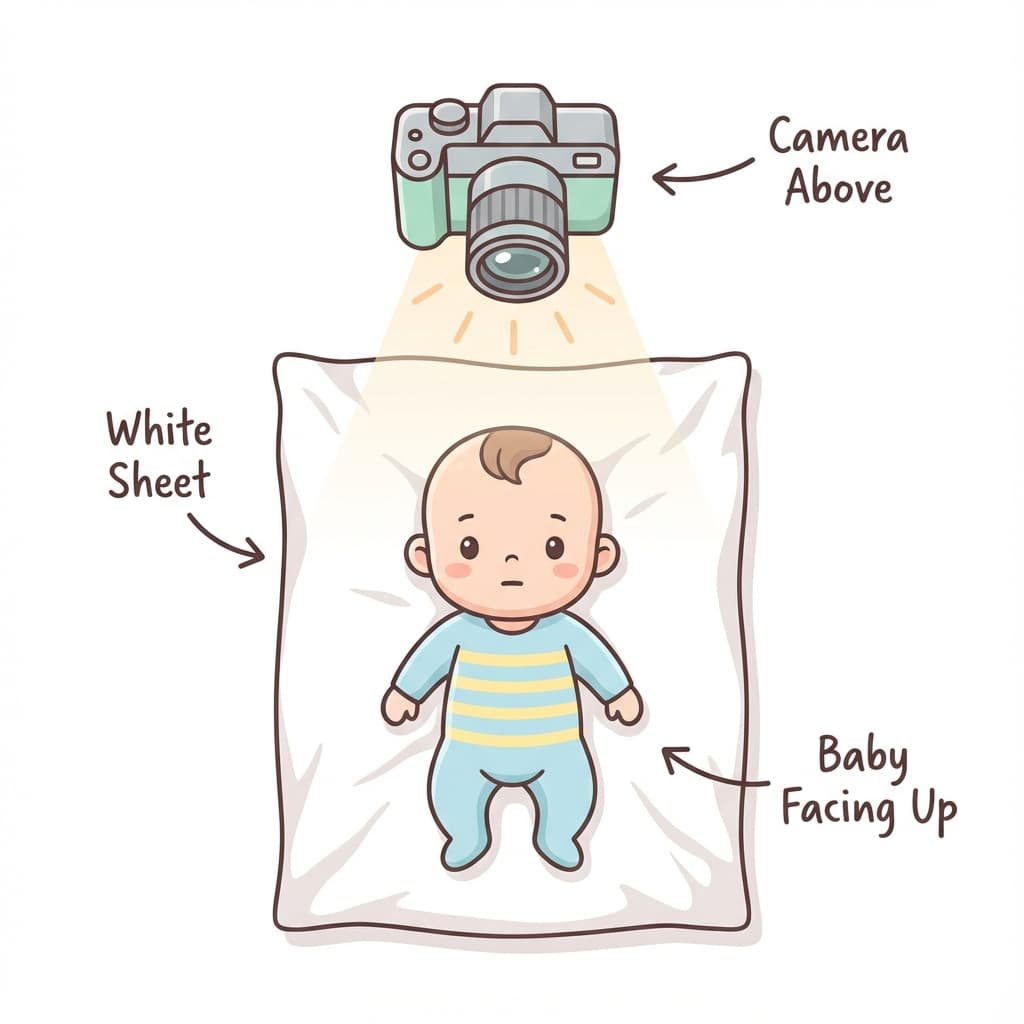
Lay the baby on a white sheet or blanket and stand directly above the child. This is often the easiest method for newborns because it keeps the body supported while letting the face remain visible. Make sure the sheet is smooth enough that wrinkles do not create heavy shadows or texture around the face.
When using this method, keep the camera centered above the baby’s face. A slight angle can make the face look tilted, so double-check that the lens is pointing straight down and that the crop leaves enough room around the head.
Method 2: Car Seat
Place the baby in a car seat and cover the visible parts of the seat with a plain white fabric. This can work well for younger infants who need extra support and cannot stay upright on their own. The visible part of the seat should stay outside the frame so the final image looks clean.
This method works best when the baby’s head is not sunk too deeply into the seat. If the chin is tucked too far down or the face is partially hidden, adjust the angle carefully or switch to a different setup.
Method 3: Held by Parent
A parent can hold the baby as long as the adult stays hidden. Cover the parent with a plain white sheet, keep hands and arms out of view as much as possible, and make sure no support shows in the frame. This method is useful when the baby needs comfort or cannot stay in a surface-based setup for long.
If a small part of the support still shows, crop carefully and use our tool to clean up the background. Keep the result natural. The photo should look like a normal document photo, not an edited portrait.
Method 4: Upright in a supported position
For older babies and toddlers, a temporary upright position can sometimes work if the child can sit safely with support just outside the frame. Use a plain white wall or cloth behind the child and keep the camera at eye level so the face remains centered. This can be especially useful when the child is alert and calm but no longer comfortable lying flat.
Common Issues
Most baby photo problems are easy to predict. The child looks away, the eyes close at the wrong second, or the image picks up too much background clutter. Instead of trying to force one perfect shot, treat the session like a series of small attempts.
Problems to Avoid
- ❌ Eyes closed (take multiple shots)
- ❌ Parent hands visible (use background removal)
- ❌ Baby looking away (use toys above camera)
- ❌ Mouth open or crying (wait and retry)
- ❌ Shadows on face (use diffused light)
If the baby’s expression changes quickly, do not panic. It is often easier to take a large set of photos and choose the clearest one afterward than to try to direct the child into one exact pose.
Also check for small things that can cause trouble later, such as a visible hand on the shoulder, a patterned blanket, a visible toy, or a background that is white but not evenly lit. These details are easy to miss when you are focused on getting the baby to look at the lens.
Practical checklist before you finish
- • Face is centered and visible
- • Eyes are open in the chosen image
- • No hands, toys, blankets, or seat parts are visible
- • Background is plain white and not shadowed
- • Crop leaves enough space around the head
- • Photo looks natural and not over-edited
Once you have a clean image, process it carefully so the final file matches the required dimensions. A good baby passport photo is usually the result of patience, good timing, and a simple setup rather than perfect studio conditions.
Frequently Asked Questions
Do babies need passport photos?
Yes, even newborns require their own passport with a compliant photo. The same size requirements apply as for adults.
How do I get a baby to look at the camera?
Use a colorful toy or make sounds above the camera to attract their attention. Have someone hold a toy just above the lens.
Can the baby have eyes closed?
No, eyes must be open. For very young infants, take multiple photos and choose one with eyes open.
What if the baby is crying?
Wait for the baby to calm down. Feed them before the photo session. A content, fed baby is easier to photograph.
What age baby can have a passport photo?
Newborns, infants, and toddlers can all have passport photos. The main challenge is not age but keeping the face visible and the background clean enough for approval.
Can the baby smile?
A slight natural expression is usually fine, but the safest choice is a calm, neutral look with the mouth closed or relaxed. Avoid exaggerated smiling, crying, or open-mouth expressions.
What if the baby keeps moving?
Keep the session short, take many photos, and work in bursts. Babies often cooperate for only a few seconds at a time, so having everything ready before you begin makes a big difference.
Do we need professional equipment?
No. A phone camera, a white background, and soft daylight are usually enough. What matters most is the final image quality and whether the face appears clearly in the frame.
Next practical step
After reading the guide, open the matching tool or reference page so capture, crop, upload, and print prep stay in the right order.
Create Your Passport Photo
Make a 35x45mm photo, download a digital file, or create a print-ready sheet.
Create Photo Free →