Canada Visa Photo Requirements for Indians
Specifications for Canadian visa and immigration photos. Get your photo right for successful applications.
Quick Overview
Canada photo rules are easy to misunderstand because different application types use different sizes. A visitor visa, study permit, or some other temporary file often uses one format, while immigration and permanent residence can require a larger print.
That is why the first step is not taking the photo but identifying the exact application type. Once you know whether you need 35x45mm or 50x70mm, the rest of the process becomes much easier to manage.
Simple Rule
Canada visitor visas and Canada immigration are not always the same size. Confirm the form first, then format the photo to match that exact application.
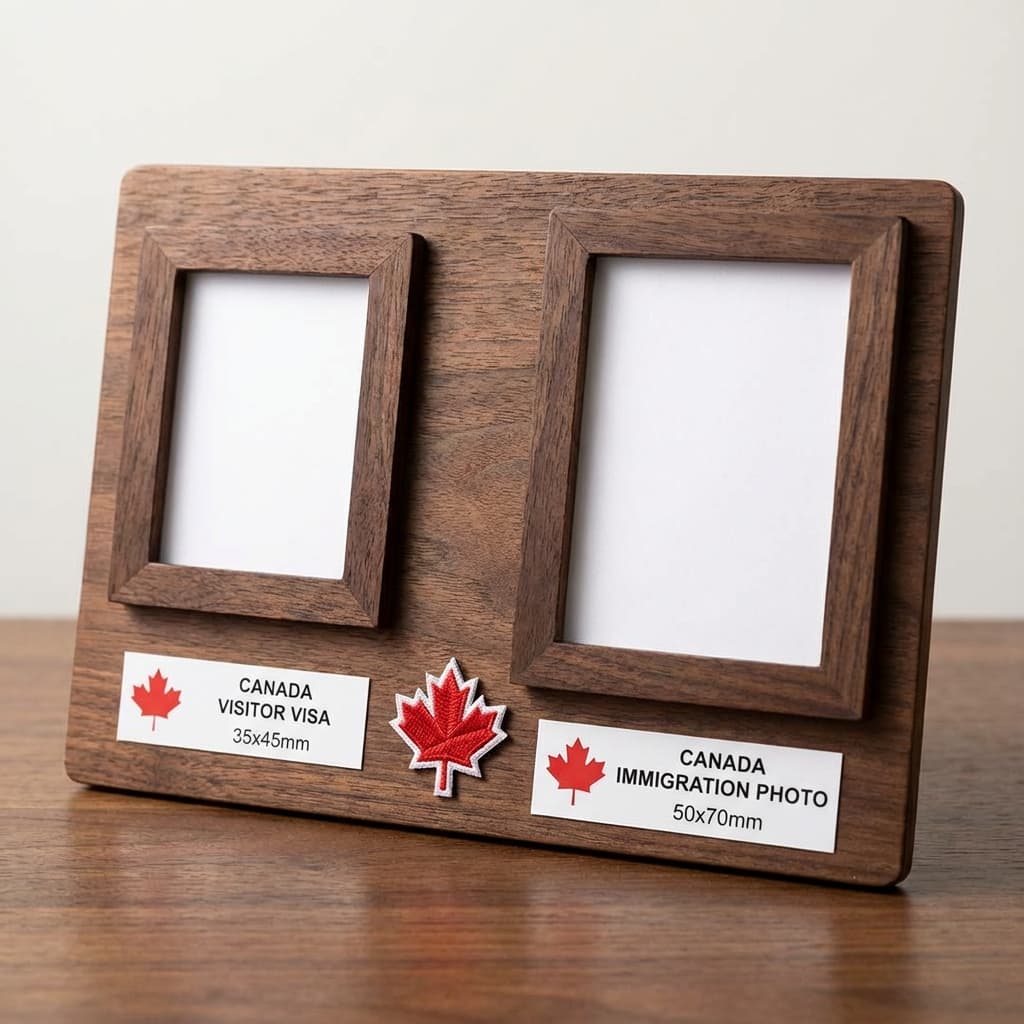
Photo Specifications
The face should be centered, evenly lit, and large enough to be clearly identifiable without crowding the frame. For most applicants, the main challenge is not the size itself but the exact crop and print consistency.
| Size (Visa) | 35mm × 45mm |
| Size (Immigration) | 50mm × 70mm |
| Background | Plain white or light-colored |
| Face Size | 31-36mm from chin to crown |
| Expression | Neutral, mouth closed |
| Eyes | Open, looking at camera |
| Photo Age | Within 6 months |
Size Note
Canada uses 50×70mm for permanent residence applications - one of the largest sizes. Check your specific application form.
If you are printing the photo, ask the shop to keep the background clean and avoid adding white borders. Even small border changes can shift the final dimensions enough to cause a problem if the form expects a strict cut.
Digital Requirements
Digital Canada photos should remain sharp after upload and should not be over-compressed. A file that looks great on your phone can still fail if the crop is wrong or the image was flattened too aggressively during export.
- Format: JPEG
- Dimensions: 420 × 540 pixels minimum
- File Size: 60 KB - 240 KB
- Resolution: Minimum 300 DPI
A balanced JPEG is usually the safest choice. If the file is too large, resize the image gently rather than destroying the face detail. If it is too small, start from the original photo again instead of trying to rescue a heavily compressed export.
Tips for Success
The easiest way to avoid rejection is to make the image look calm, natural, and technically clean. Canada does not reward creative posing here; it rewards clear identification and a straightforward file that is easy to inspect.
Best Practices
- ✅ Face the camera directly
- ✅ Neutral expression only
- ✅ Hair away from face
- ✅ Even lighting, no shadows
- ✅ Print on photo quality paper
- ✅ Keep the crop centered with enough space above the head
Avoid
- ❌ Selfies or phone photos
- ❌ Edited or filtered images
- ❌ Shadows on face or background
- ❌ Old photos over 6 months
- ❌ Crops that make the face too small in the frame
- ❌ Prints with borders or visible resizing marks
If you are applying for permanent residence, keep a second version in the larger 50x70mm format even if you only need the visa size today. Having both versions ready saves time when the next stage of the process asks for a different layout.
A simple home setup with soft light, a plain wall, and a reliable export workflow is often enough. If you want to avoid starting from scratch, you can prepare the photo at PassportSizePhoto.in and then print whichever version your application needs.
Keep the same neutral expression across both the digital and print versions so the file feels consistent if an officer compares the image to your current appearance later in the process.
If you are unsure which size to use, check the form instructions first and treat the photo as a document-specific asset rather than a generic ID image. That mindset makes the whole process easier to manage.
Submission Checklist
A short final review can save a lot of time. Canada applications can be picky about size and clarity, so it helps to confirm the final image before you upload or print it.
- Confirm the document type: Visitor visa and immigration can use different sizes.
- Check facial framing: The face should be centered and not cut too tightly.
- Review the paper output: Prints should be clean, flat, and border-free.
- Keep backups: Save a digital copy plus one or two printed copies.
If your application has an online and a paper component, keep the same base photo for both so the appearance stays consistent. Consistency is underrated, but it makes the whole process feel smoother and more professional.
Frequently Asked Questions
What size photo is required for Canada visa?
35mm × 45mm for visitor visa applications, or 50mm × 70mm for permanent residence and immigration applications. Always check your specific application requirements.
What background is required for Canada visa photo?
Plain white or light-colored background. No shadows, patterns, or other objects should be visible in the background.
Can I wear glasses in Canada visa photo?
Glasses are allowed but your eyes must be clearly visible without any glare on the lenses. Remove glasses if they cause reflections.
What are Canada visa digital photo requirements?
JPEG format, 420×540 pixels minimum, 60KB-240KB file size, and minimum 300 DPI resolution.
How recent must my Canada visa photo be?
Photos must be taken within the last 6 months and must accurately represent your current appearance.
What is the face size requirement for Canada photos?
Face height (chin to crown) must be 31-36mm, and the face should be centered in the frame facing directly at the camera.
Can I use a selfie for Canada visa?
No, selfies are not acceptable. Photos must be taken with a proper camera, not a smartphone front camera, and should meet all technical specifications.
What expression is required for Canada visa photo?
Neutral expression with mouth closed. Eyes must be open and looking directly at the camera. No smiling allowed.
Why is Canada immigration photo size different?
Canada uses 50×70mm for permanent residence applications - one of the largest photo sizes globally. This is different from the 35×45mm used for tourist and study visas.
How many photos do I need for Canada visa?
Typically 2 identical photos are required. For immigration applications, you may need more. Check your specific application instructions.
Should the photo have a border or a cut line?
No, the final image should be a clean photo with the requested dimensions and no extra decorative border around it.
Can I reuse a study permit photo for permanent residence?
Only if the photo is recent, matches your current appearance, and is reformatted to the required immigration size. Check the current instructions before reusing it.
What background is safest for Canada visa photos?
A plain white or very light background is the safest option. Keep it even and free of shadows so the face stands out clearly.
Can I use the same picture for the visa and immigration size?
You can use the same source image if it is recent and high quality, but you still need to export it separately to the correct size for each application.
Is a mobile phone photo acceptable for Canada applications?
Yes, if the photo is sharp, well lit, and properly cropped. The device matters less than the final image quality and whether it matches the form instructions.
Should I send one photo or two?
Most applications ask for two identical photos, but always follow the checklist for your specific file. When in doubt, keep extras ready so you are not delayed by a missing print.
What should I do if the face appears too small after cropping?
Rebuild the crop from the original image and move the face closer to the frame. Resizing should preserve detail, not shrink the person into the background.
Can I use a studio photo that has a slightly grey background?
Sometimes yes, but a clean light background is safer. If the grey looks uneven or shadowed, retake it so the face has better contrast and the image looks more professional.
How can I tell whether the image is sharp enough?
Zoom in to 100 percent and look at the eyes, eyebrows, and hairline. If those areas already look soft on screen, the printed or uploaded version will likely feel weaker too.
What if I need the photo for more than one Canadian form?
Keep one master image and export separate versions for each size requirement. That avoids repeating the shoot and makes it easier to stay consistent across applications.
Is a selfie allowed if the background is plain?
A selfie is usually not the best option because perspective and arm length can distort the face. A rear-camera photo held at a comfortable distance is much safer and cleaner.
Should I ask the print shop to sharpen the photo?
Light sharpening can help, but too much can create rough edges and artifacts. The safer move is to start with a strong original rather than relying on the printer to fix it.
Why does my immigration photo need to be bigger?
Some Canadian immigration stages use larger physical prints so the facial details remain clear in processing. That is why size confirmation matters before you print or upload anything.
Next practical step
After reading the guide, open the matching tool or reference page so capture, crop, upload, and print prep stay in the right order.
Create Your Passport Photo
Make a 35x45mm photo, download a digital file, or create a print-ready sheet.
Create Photo Free →