Passport Photo: Online vs Studio
Complete comparison of online passport photo tools versus traditional photo studios. See which option saves you time, money, and extra trips while still giving you a clean, compliant photo.
Decision guide
Use online for control, studio for capture help
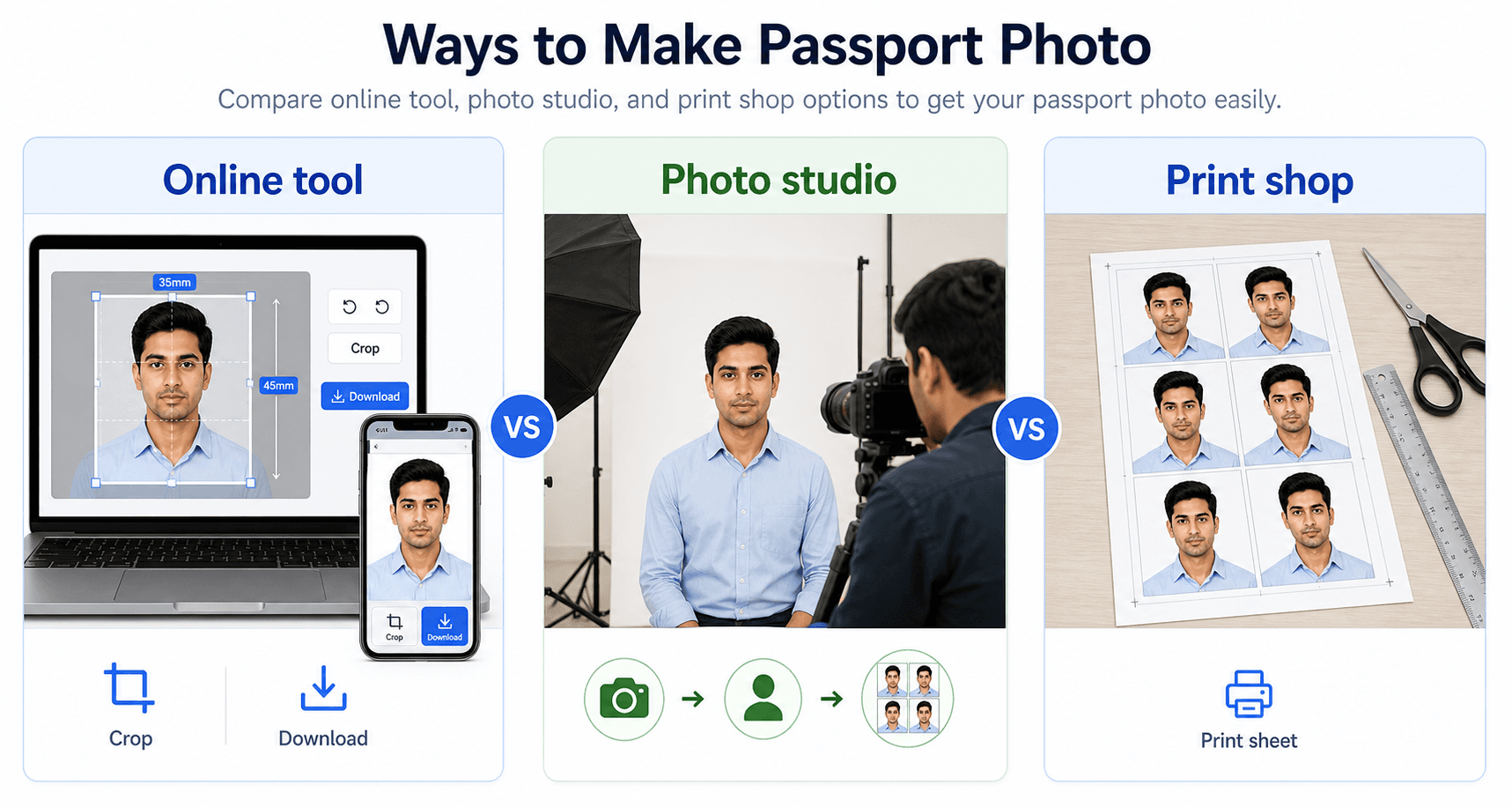
If you already have a clear source image, an online tool is faster for crop, resize, compression, and print sheets. If your lighting, camera, or background is weak, a studio can still be the better capture option.
- Do not use a bad source photo just because the online tool is fast.
- Use a print shop when you need neat physical copies.
- Keep a digital final file for future forms.
Related next steps
Online Tool
PassportSizePhoto.in
- 100% Free
- Ready in 2 minutes
- Unlimited retakes
- 24/7 availability
- Digital + print sheets
The main advantage is control. You can retake the photo whenever you want, test multiple crops, and save the final version in a digital folder for future forms.
Photo Studio
Traditional shops
- ₹50-100 cost
- 30-60 minutes
- Retakes cost extra
- Business hours only
- Professional printing
Studios can still be useful when you want a person to help with framing, especially if you prefer a fully guided experience or need a quick print without handling the setup yourself.
How to Decide in Real Life
The better choice depends on how much control you want and how quickly you need the result. If you are comfortable using a phone camera, checking the crop, and printing later, online is usually the simpler route. If you want a person to guide you and print the photo immediately, a studio can still be convenient.
For most everyday passport, visa, Aadhaar, or job application photos, online wins because it gives you unlimited retries and nearly zero waiting time. The studio advantage is mainly the human assistance and the professional printing setup, not necessarily the photo rules themselves.
Detailed Comparison
| Feature | Online | Studio | Winner |
|---|---|---|---|
| Cost | ₹0 (Free) | ₹50-100 | 🏆 Online |
| Time | 2 minutes | 30-60 minutes | 🏆 Online |
| Convenience | 24/7 from home | Travel + wait | 🏆 Online |
| Retakes | Unlimited free | Extra cost | 🏆 Online |
| Print Quality | Depends on printer | Professional | 🏆 Studio |
| Compliance Check | Automated | Photographer expertise | Tie |
| Digital Copy | Instant download | Extra cost usually | 🏆 Online |
| Print Sheet | 4-8 photos included | 2-4 photos usually | 🏆 Online |
The Verdict
Online Wins Most Everyday Use Cases
For most people, online passport photo tools offer the best overall value. You get immediate results, no travel time, unlimited retakes, and the ability to fine-tune the crop until it looks right. The only clear studio advantage is live assistance and professional printing, and even that can often be matched by using a print shop after you generate the sheet online.
If your priority is speed and affordability, online is the better default. If your priority is personal help from a photographer, a studio still makes sense. Either way, the best result is the one that meets the rules cleanly and looks natural in the final submission.
A practical rule of thumb is simple: choose the method that reduces stress for your situation. If you already have a decent phone camera and a quiet place with good light, online is efficient. If you are unsure about the setup or want someone else to handle the crop, the studio can save you from second-guessing.
Which Option Fits Which User?
Different users value different things. A student applying for an exam may care most about speed and cost. A parent preparing multiple family documents may care about convenience and repeatability. Someone who rarely handles digital files may care more about having a person guide the process.
The real winner is not the method itself. It is the method that gets you a compliant, natural-looking photo with the least effort and the fewest mistakes.
Small Things That Tip the Decision
For many people, the choice comes down to tiny practical details rather than the photo itself. If the nearest studio is far away, online becomes more attractive. If your home lighting is poor or your device camera is old, a studio may feel easier. The right answer depends on the time, tools, and confidence you already have.
- Choose online when you want to retry freely until the photo looks right.
- Choose studio when you want a person to guide the setup and confirm the print quality.
- Print at a shop if you want a low-cost finish without buying your own photo paper.
- Save the final file either way so you can reuse the same result later.
Once you know your own setup, the decision becomes simple. Pick the path that removes friction, then focus on producing a clean, compliant photo instead of chasing a perfect method. The right workflow is the one you can repeat confidently the next time you need the same kind of document photo.
When Print Quality Decides Everything
The one area where studios sometimes feel stronger is the final print. If you are submitting paper photos to an office that will inspect the physical copy closely, a studio can save you from printer setup issues. That said, a good online sheet printed at a shop can produce a very similar result at a lower cost.
- Use a print shop if you want a clean, consistent finish without home printer trouble.
- Use a studio if you want someone to manage the camera, crop, and print in one visit.
- Use online if the file will stay digital or if you need several copies for different applications.
- Keep one master file so the same image can be reprinted without starting over.
In practice, the best workflow is often online first and printing second. That gives you control over the crop, the background, and the final file while still letting a print shop handle the physical output.
FAQ
Is online passport photo as good as studio?
Yes, if you follow guidelines. Our tool creates photos meeting all government specifications, same as professional studios.
Will online photos be rejected?
Not if the photo is prepared correctly. A good online tool can produce the same usable result as a studio photo, especially when the size, crop, and background are checked before download.
Can I print online photos at a shop?
Yes. Download the print sheet and take it to a local printing shop. That is often the cheapest way to get a neat printed copy without paying studio prices.
Why do studios charge so much?
Studios have rent, equipment, staff, and time costs. Online tools reduce those overheads, which is why they can be free or much cheaper for the same basic document photo job.
What if I don't have a good camera?
A recent smartphone camera is usually enough. Lighting, posture, and background quality matter more than having the most expensive device available.
Is home printing acceptable?
Yes, if the photo is printed at the correct size on suitable photo paper. If you want the cleanest finish, a print shop can still be a convenient final step.
When is a studio still worth it?
A studio can be useful when you want an in-person photographer to check pose, lighting, or print quality for you, especially if you are short on time or want a hands-off experience.
When is online the smarter choice?
Online is usually better when you want speed, low cost, unlimited retries, and the ability to redo the photo at home without booking a shop visit.
Can I start online and finish offline?
Yes. Many people prepare the image online, check the crop, and then print the final sheet at a local store. That gives you the benefits of both methods.
Which option is better for repeat applications?
Online is usually better for repeat use because you can store the file, reuse the setup, and create fresh copies whenever a new form needs the same style of photo.
How do I avoid wasting money on prints?
Do one final check on the digital image before printing. That way you do not spend on extra copies just because the crop or background needed a small correction.
What if I only need one photo?
Online is still useful because you can create the exact file you need and then print only one copy, or none at all if the form accepts digital upload only.
Try Our Free Online Tool
Create a compliant photo in minutes, then print it or download it for an online form.
Try Online Photo Tool →