Best Passport Photo Apps for India
Comprehensive comparison of the top passport photo apps for preparing passport photos. Compare features, pricing, and user ratings to find the right workflow.
Why Use a Passport Photo App?
With a modern smartphone and the right app, you can prepare clear, document-ready passport photos from home.
Some apps are built for Western documents, while others add ads, watermarks, or paid walls. This guide focuses on options that actually suit Indian users and Indian document sizes.
Save Money
Studio: ₹100-300
App: Free or ₹10-20
Convenience
Create photos anytime, anywhere
Control
Unlimited retakes until perfect
Top Apps Comparison
| App | Platform | Price | Rating | Indian Size | BG Removal |
|---|---|---|---|---|---|
| PassportSizePhoto.in | Web (All Devices) | Free | ⭐⭐⭐⭐⭐ | ||
| ID Photo Free | Android | Free + Ads | ⭐⭐⭐⭐ | ||
| Passport Photo Maker | Android | Free + IAP | ⭐⭐⭐⭐ | ||
| Photo Studio Pro | iOS | ₹199 | ⭐⭐⭐⭐ | ||
| Passport Photo Online | Web | Free + Paid | ⭐⭐⭐ |
Essential Features to Look For
Must-Have Features
- ✅ Indian document presets: Support for 35×45mm Indian passport size
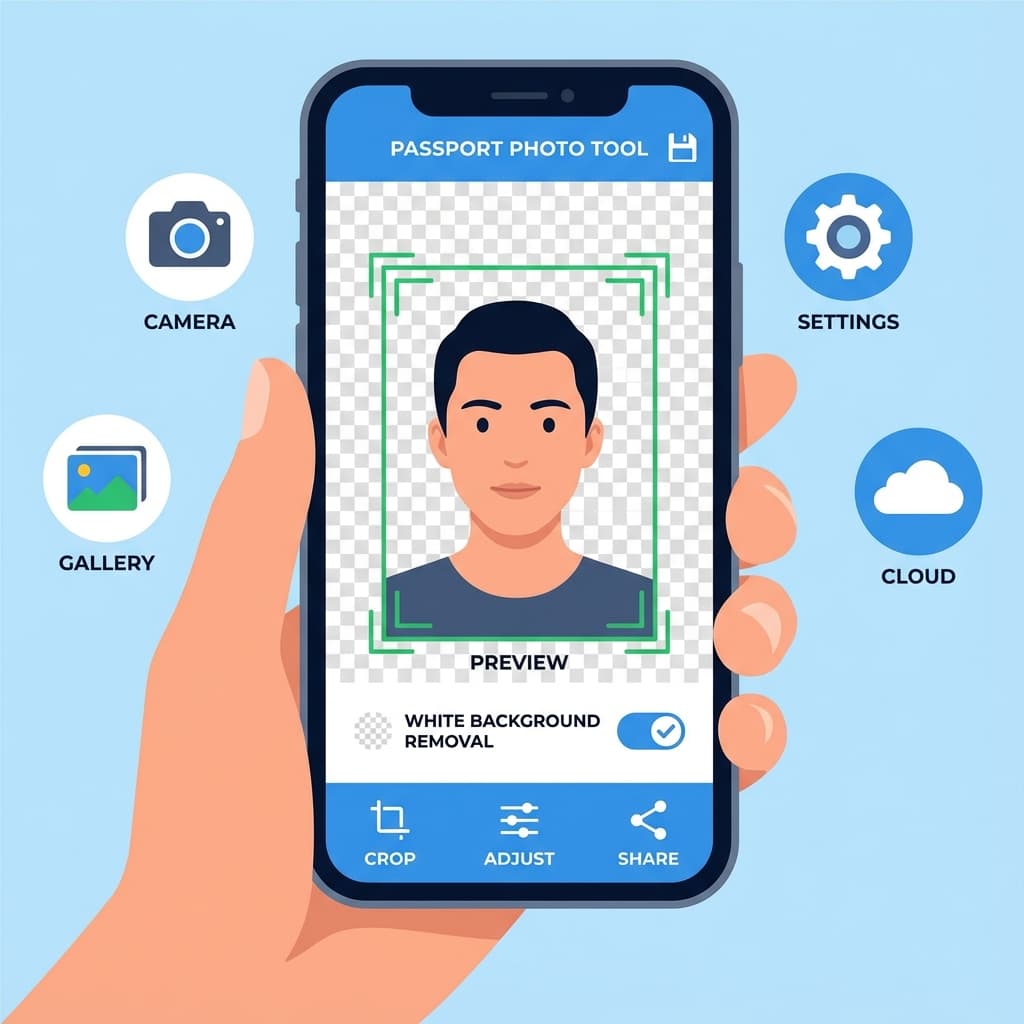
- ✅ Automatic background removal: AI-powered white background replacement
- ✅ Face detection and auto-crop: Ensures correct head positioning
- ✅ Print sheet generation: Multiple photos on one printable sheet
- ✅ Digital file output: Correct size for online uploads
- ✅ No watermarks: Clean output without branding
Nice-to-Have Features
- ⭐ Multiple document support: Aadhaar, PAN, visa sizes
- ⭐ Offline mode: Works without internet connection
- ⭐ Photo guidelines overlay: Helps position face correctly
- ⭐ Compliance checker: Validates photo before download
- ⭐ Cloud sync: Access photos from multiple devices
Detailed App Reviews
PassportSizePhoto.in
Our PickBuilt for Indian documents, this web tool works on any device without downloads. It offers free generation, automatic background removal, and Passport Seva-friendly file sizes.
ID Photo Free (Android)
Android app with solid Indian document support, background removal, and print layouts. The free version has ads.
Passport Photo Maker
Simple Android app focused on basic passport photo creation. It does not include automatic background removal, so you need a clean white setup.
Free vs Paid Apps - Which to Choose?
Free Apps
- ✅ No cost to try multiple options
- ✅ Basic features usually sufficient
- ❌ May include ads
- ❌ Some add watermarks
- ❌ Feature limitations
Paid Apps
- ✅ Ad-free experience
- ✅ Full feature access
- ✅ Usually better support
- ❌ Costs ₹99-500
- ❌ May not be better than free options
Our verdict: For passport photos, you do not need a paid app.PassportSizePhoto.in gives you the core features for free without watermarks.
Our Recommendation
Why We Recommend PassportSizePhoto.in
- ✓ Built for India: Indian passport, Aadhaar, PAN, and visa needs
- ✓ Works everywhere: Browser-based on phone, tablet, or computer
- ✓ Truly free: No hidden costs or watermarks
- ✓ Auto background removal: White background replacement included
- ✓ Optimized for Passport Seva: File sizes match online requirements
- ✓ Privacy focused: Processing stays in your browser
Tips for Getting Best Results
- 1. Use good lighting: Natural daylight near a window works best.
- 2. Use rear camera: It usually gives sharper results than the front camera.
- 3. Keep phone steady: A tripod or solid support helps prevent blur.
- 4. Stand at correct distance: About 1-1.5 meters from camera.
- 5. Check output carefully: Confirm face size, background, and file dimensions.
The app matters, but your setup still decides the final quality. Even the best passport photo app cannot fully rescue a badly lit, tilted, or blurry photo, so it is worth fixing the room first and the app second.
A Simple Workflow That Works
1. Capture
Take a clean photo with even light, a plain background, and a neutral expression.
2. Process
Use the app to crop, remove the background, and set the correct document size.
3. Verify
Check the output for correct proportions, sharpness, and file size before uploading or printing.
This simple workflow is useful for passports, visas, Aadhaar, PAN, and other document photos because it keeps the process repeatable. Once you know the steps, you can recreate the same result later without starting from scratch.
How to Choose the Right App for Your Situation
- If you want zero setup: Use a browser-based tool that works on any phone or laptop.
- If you need offline access: Pick an app that can work without internet after installation.
- If you print at home: Choose an app with sheet layout and cut-mark support.
- If you upload online: Prioritize exact file size, dimensions, and compression control.
- If privacy matters most: Prefer tools that process locally or explain storage clearly.
A good app should make the process easier, not more confusing. If it adds watermarks, hides important settings, or forces you through too many ads, the convenience quickly disappears.
Frequently Asked Questions
Are passport photo apps accurate for Indian documents?
Quality varies significantly between apps. The best apps specifically support Indian passport size (35×45mm) and comply with government specifications. Always verify the output size before printing or uploading.
Are free passport photo apps good enough?
Many free apps produce acceptable results for basic needs. However, free versions often include watermarks, ads, or limited features. For important documents like passports, using a reliable tool like PassportSizePhoto.in ensures compliance without hidden costs.
Can I trust the background removal feature?
Modern AI background removal is quite accurate, but results vary by app. Check that the background is pure white without any remnants of your original background, especially around hair edges where artifacts commonly appear.
Which app works best for online passport applications?
For online submissions to Passport Seva portal, you need specific file sizes (10-300 KB) and dimensions. PassportSizePhoto.in is optimized for these exact requirements, making uploads seamless.
Do I need different apps for different documents?
A good passport photo app should support multiple document sizes. Look for apps that offer presets for Indian passport, Aadhaar, PAN card, visa applications, and other common documents.
Can these apps replace professional photo studios?
For most people, yes. With good lighting and a smartphone camera from the last 5 years, you can create studio-quality photos at home. The key is following proper technique for lighting and background.
Will my phone camera quality affect the result?
Any smartphone from 2018 or later typically has sufficient camera quality for passport photos. The minimum requirement is about 2 megapixels. More important than camera specs is good lighting and stable positioning.
How do I know if the output meets government requirements?
Check the output dimensions (35×45mm for Indian passport), file size (10-250 KB for online), background color (pure white), and face proportions (face should be 80–85% of photo). Good apps validate these automatically.
Can I edit the photo after processing?
Most apps allow you to retake or reposition before finalizing. However, avoid using additional editing apps afterward, as they may add hidden filters or change dimensions. The passport photo should be used as-is from the app.
What about privacy - are my photos stored?
Privacy policies vary by app. Web-based tools like PassportSizePhoto.in process photos in your browser without uploading to servers. For mobile apps, check their privacy policy. Avoid apps that require unnecessary permissions.
Try the Best Option Free
No app download needed. Create your passport photo right now in your browser.
Create Free Passport Photo →Next practical step
After reading the guide, open the matching tool or reference page so capture, crop, upload, and print prep stay in the right order.
Create Your Passport Photo
Make a 35x45mm photo, download a digital file, or create a print-ready sheet.
Create Photo Free →